Article

Explore our latest articles, tips, and guides on WordPress. Learn how to create categories, organize blog posts, manage website content, and improve your website’s structure for a better user experience and SEO performance.

coaching website features

Coaching Website Features: 10 Essential Things Your Institute Needs

Coaching Website Features: 10 Essential Things Your Institute Needs Parents and students don’t walk into a coaching center blindly anymore. They search online, open a few websites, and decide who to call in the first few seconds. If your site is missing the right details, they simply move on to the next institute. So what should a coaching institute website include? This guide covers the coaching website features that matter most, in simple language. Whether you are building a new site or improving an old one, each feature here is practical and easy to apply. Want an expert to look at your site and tell you which coaching website features you are missing? Get a free one-on-one consultation with AdxVenture and find out exactly what to fix first. Why Coaching Website Features Matter Your website works like a front desk that never closes. It answers questions at night, on weekends and while your team is busy teaching. The right coaching website features turn a visitor into an enquiry, and an enquiry into an admission. The wrong ones do the opposite. A site with no fees, no faculty details and no phone number leaves parents with questions. Unanswered questions mean lost students. Let’s go through the ten features that fix this. 1. A Clear Homepage With Courses and Location The homepage is the first of all coaching website features, because every visitor sees it first. Within five seconds, someone should know what you teach, who it is for and where you are. Use a headline like “NEET Coaching in Mohali” instead of a vague “Welcome to our institute”. Add one clear button, such as Book a Free Demo, above the fold. Keep the first screen simple: one headline, one short line and one main action. 2. A Separate Page for Every Course Give each course its own page, whether it is JEE, NEET, CUET, Class 10 boards or IELTS. Each page should show the batch timings, duration, fees (or a way to ask), faculty and an enquiry button. Separate pages help parents find what they want without hunting through menus. They also help each course rank in Google, because a page focused on one topic performs better than a single page covering everything. 3. Detailed Faculty Profiles “Expert faculty” is a phrase every institute uses, so it convinces nobody. Show real names, photos, qualifications, years of experience and subjects taught instead. A short introduction video from your best teachers builds trust even faster. Parents want to know who will actually teach their child. A clear faculty section is one of the strongest coaching website features you can add. 4. Real Results and Honest Testimonials Numbers build belief. A line like “120 students selected in 2026” is far more convincing than “many students succeed with us”. Add topper photos, parent reviews and, if possible, short video testimonials. Organize results by year and course, and update them every year. Old results make a center look inactive, even when the teaching is excellent. Keep everything real and verifiable, because parents often check. 5. Click-to-Call and WhatsApp Buttons Many parents want to talk to a person before they decide. Add a tappable phone number and a WhatsApp chat button on every important page. Place the number at the top of the page, not buried in the footer. Use a pre-filled WhatsApp message such as “Hi, I want details about JEE coaching”, so parents can start a chat in one tap. Among all coaching website features, this one usually brings the fastest enquiries. 6. A Short, Simple Enquiry Form Ask only for what your team really needs: name, phone number, course of interest and a short message. Long forms are hard to fill on a phone, and most visitors will quit halfway. Show a clear confirmation message after the form is submitted, and make sure someone replies quickly. An enquiry that waits two days for an answer is usually a lost admission. 7. Clear Fee, Batch and Scholarship Information Hidden fees destroy trust. Share fee ranges, instalment options, batch sizes and scholarship test details, or at least give a clear way to request them. If you cannot publish exact fees, explain what affects the price, such as course duration or batch type. Parents respect institutes that are open about costs. That honesty is one of the most underrated coaching website features. 8. Mobile-Friendly Design and Fast Loading Most parents and students will open your site on a phone. If the text is tiny, the buttons are hard to tap or the page loads slowly, they will leave within seconds. Compress your images, avoid heavy sliders and pop-ups, and test the site on a real phone. Use Google Page Speed Insights to check your speed and aim to load in under three seconds. Large topper photos are the most common reason coaching sites feel slow. 9. Google Map, Contact Details and Branch Pages Make it easy for parents to find you. Embed a Google Map on your contact page. Keep your name, address and phone number exactly the same everywhere, including your Google Business Profile. If you have more than one branch, create a separate page for each location with its own address and timings. This also helps your local search visibility, since parents often search with their area name, such as “coaching in Panchkula”. 10. Trust Signals and Helpful Content Small details tell parents whether your institute is serious. Make sure your site uses HTTPS (the padlock in the browser), has working links and shows up-to-date notices and batch dates. Add an about page, a privacy policy and a photo gallery of your classrooms. Then go one step further with a blog. Posts on exam tips, admission guidance and study planning bring in new visitors. Even one useful post a month adds up over time. This is one of the coaching website features that keeps working long after you publish it. ✅Quick Coaching Website Features Checklist ☐ Clear homepage with courses and location ☐ Separate
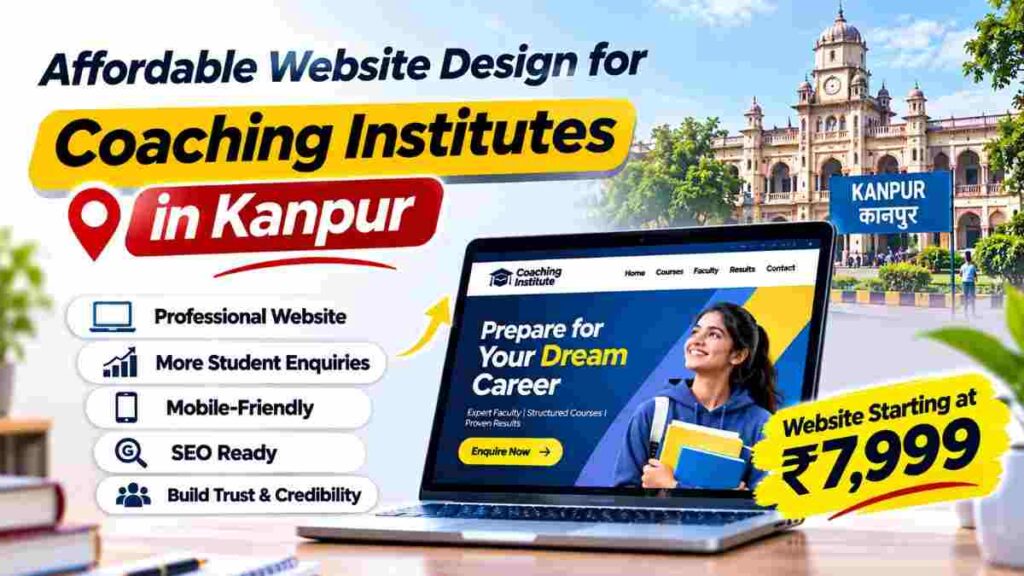

Affordable Website Design for Coaching Institutes in Kanpur: 9 Powerful Benefits

Affordable Website Design for Coaching Institutes in Kanpur: 9 Powerful Benefits

क्या आप Kanpur में coaching institute चलाते हैं और अपने institute के लिए professional website बनवाना चाहते हैं? लेकिन आपको लगता है कि website development पर बहुत ज्यादा पैसा खर्च करना पड़ेगा? आज students और parents किसी भी coaching institute में admission लेने से पहले Google पर courses, faculty, fees, reviews और contact details search करते हैं। ऐसे में affordable website design for coaching institutes in Kanpur उन institute owners के लिए एक useful option हो सकता है जो limited budget में अपनी online presence बनाना चाहते हैं। चाहे आपका coaching centre Kakadeo, Kalyanpur, Swaroop Nagar, Govind Nagar या Kidwai Nagar में हो, एक professional website students तक सही information पहुँचाने में मदद कर सकती है। इस article में हम coaching institute website के 9 important benefits, जरूरी features, website cost और local SEO के practical तरीकों के बारे में जानेंगे। Why Choose Affordable Website Design for Coaching Institutes in Kanpur? Kanpur में competitive exams, school tuition और entrance preparation से जुड़े कई coaching centres operate करते हैं। Students admission लेने से पहले अलग-अलग institutes के courses, teaching methods और facilities compare कर सकते हैं। अगर आपके coaching institute की website नहीं है, तो interested students को आपके courses की complete information online नहीं मिल पाएगी। यहीं affordable website design for coaching institutes in Kanpur आपके educational business के लिए उपयोगी हो सकता है। एक well-structured website आपके institute की information को एक ही जगह organise करती है। Students आसानी से courses, faculty, batch timings और admission process समझ सकते हैं। हालांकि website बनवाने से automatically admissions नहीं बढ़ते। इसके लिए useful content, search visibility और timely enquiry follow-up भी जरूरी हैं। 1. Limited Budget में Professional Online Presence कई छोटे और medium coaching institute owners website development को expensive investment मानते हैं। इस कारण वे केवल WhatsApp, Facebook या Instagram के जरिए अपनी coaching classes promote करते हैं। Social media platforms useful हैं, लेकिन आपकी अपनी website पर courses, admission details और institute information को organised तरीके से present किया जा सकता है। Solution: Budget-Friendly Website बनवाएं Affordable website design for coaching institutes in Kanpur के जरिए institute owners अपनी requirements के अनुसार website development options explore कर सकते हैं। एक basic professional website में homepage, course details, faculty information और contact section जैसे important features शामिल किए जा सकते हैं। Website बनवाते समय केवल lowest price पर focus न करें। Design quality, mobile compatibility, maintenance, hosting और future updates की requirements भी समझें। ADXVENTURE की coaching institute website service ₹7,999 से शुरू होती है। Final features और scope को service provider से confirm करना चाहिए। 2. Students को Courses की Complete Information मिलती है जब कोई student coaching institute की website visit करता है, तो वह अपने interested course के बारे में जानकारी चाहता है। उसे syllabus, course duration, fees, batch timings और admission process की details चाहिए होती हैं। अगर website पर यह information missing है, तो student को institute से बार-बार contact करना पड़ सकता है। इससे enquiry process difficult हो सकती है। Solution: Dedicated Course Pages बनाएं Affordable website design for coaching institutes in Kanpur में course-specific pages को priority देनी चाहिए। उदाहरण के लिए, अगर आपका institute SSC, Banking, NEET या JEE preparation provide करता है, तो हर major course के लिए dedicated page बनाएं। हर page पर course overview, eligibility, syllabus, duration और batch details mention करें। जहाँ संभव हो, fees और admission requirements भी clearly explain करें। इससे students अपनी requirements के अनुसार course compare कर सकते हैं। 3. Coaching Institute की Professional Image Improve होती है Parents किसी coaching institute में admission लेने से पहले उसकी credibility समझना चाहते हैं। वे faculty experience, teaching approach, available facilities और institute की achievements के बारे में जानकारी search कर सकते हैं। अगर आपकी website outdated है या important information missing है, तो visitors को institute समझने में difficulty हो सकती है। Solution: Clean और Professional Design Use करें एक professional coaching website में readable fonts, consistent colours और clear headings होने चाहिए। Homepage पर institute introduction, important courses और contact options prominently show करें। Affordable website design for coaching institutes in Kanpur का मतलब केवल सस्ती website नहीं, बल्कि ऐसा practical design होना चाहिए जो students की जरूरतें पूरी करे। Website पर genuine classroom photographs और actual faculty information use करें। Fake reviews या misleading success claims से बचें। इससे parents और students को institute की credibility evaluate करने में मदद मिलती है। 4. Mobile-Friendly Website से Student Experience बेहतर होता है कई students coaching institute की information अपने smartphones पर search करते हैं। वे mobile पर courses compare करते हैं और admission enquiries के लिए WhatsApp या Call Now options इस्तेमाल कर सकते हैं। अगर आपकी website mobile screen पर properly display नहीं होती, तो visitors को navigation में परेशानी हो सकती है। Solution: Responsive Website Design चुनें Affordable website design for coaching institutes in Kanpur select करते समय mobile responsiveness जरूर check करें। Website का text mobile पर readable होना चाहिए। Menu, course information और enquiry buttons आसानी से accessible होने चाहिए। Heavy images और unnecessary animations को optimise करें। आप Google PageSpeed Insights से website performance और mobile experience से जुड़ी issues check कर सकते हैं। एक responsive website mobile, tablet और desktop पर information को बेहतर तरीके से display करने में मदद करती है। 5. Google पर Coaching Institute की Visibility Improve हो सकती है अगर कोई student Google पर “SSC coaching in Kakadeo Kanpur” search करता है, तो relevant institute information उसकी search में useful हो सकती है। लेकिन केवल website बनाना Google पर top ranking की guarantee नहीं देता। Search visibility के लिए useful content, technical SEO और relevant local information जरूरी है। Solution: SEO-Friendly Website Structure बनाएं Affordable website design for coaching institutes in Kanpur में basic SEO requirements को ध्यान में रखना चाहिए। Website के pages पर descriptive titles, relevant headings और useful course information add करें। Institute का actual address, phone number और location details clearly mention करें। Google Search Console से indexing और search performance monitor करें। SEO best practices समझने के

Small coaching institutes in Kota competing online with bigger coaching brands

How Can Small Coaching Institutes in Kota Compete Online with Bigger Brands?

How Can Small Coaching Institutes in Kota Compete Online with Bigger Brands? Kota को India के प्रमुख coaching hubs में गिना जाता है। यहाँ कई बड़े coaching brands के साथ-साथ छोटे और independent coaching institutes भी students को पढ़ाते हैं। बड़े institutes के पास strong brand identity, बड़ा marketing budget और established online presence होती है। ऐसे में छोटे institutes के लिए online competition थोड़ा challenging हो सकता है। लेकिन क्या students को attract करने के लिए किसी छोटे coaching institute को भी लाखों रुपये marketing पर खर्च करने की जरूरत है? बिल्कुल नहीं। आज students और parents किसी coaching institute में admission लेने से पहले Google पर search करते हैं, website check करते हैं, reviews पढ़ते हैं और faculty के बारे में जानकारी लेते हैं। यही छोटे institutes के लिए एक अच्छा opportunity है। अगर आपका institute सही तरीके से अपनी online presence बनाता है, तो आप भी उन students तक पहुँच सकते हैं जो Kota में coaching classes search कर रहे हैं। इस article में हम 7 practical तरीके समझेंगे, जिनकी मदद से छोटे coaching institutes बड़े brands के साथ online compete कर सकते हैं। Table of Contents Professional Website क्यों जरूरी है? Google Business Profile को Optimize करें Local SEO पर Focus करें Educational Content से अपनी पहचान बनाएं Social Media का सही इस्तेमाल करें Genuine Student Reviews से Trust बनाएं कम Budget में Online Advertising करें Common Digital Marketing Mistakes 30-Day Digital Marketing Plan Frequently Asked Questions 1. Professional Website बनाएं किसी भी coaching institute के लिए website उसकी digital identity की तरह काम करती है। Social media पर page होना अच्छा है, लेकिन केवल Instagram या Facebook पर depend रहने से students को पूरी जानकारी देना मुश्किल हो सकता है। मान लीजिए कोई student Kota में JEE Physics coaching search कर रहा है। उसे दो institutes मिलते हैं। Institute A: सिर्फ Instagram page है, जहाँ कुछ photos और admission posts हैं। Institute B: एक professional website है, जहाँ courses, faculty details, classroom photos, contact information और admission details दी गई हैं। अब student और parents के लिए दूसरे institute को समझना आसान हो जाता है। आपकी website बहुत बड़ी या complicated होने की जरूरत नहीं है। शुरुआत में इन important pages को शामिल करें: Home Page: Institute का introduction और मुख्य courses की जानकारी। About Us: Institute की teaching approach और experience। Courses Page: Available subjects, batches और course duration। Faculty Page: Teachers की qualifications और teaching experience। Results Page: Verified student results और achievements। Contact Page: Address, phone number, Google Maps और enquiry form। एक अच्छी website students और parents को admission से पहले जरूरी जानकारी देती है। साथ ही, इससे आप Google Search में relevant keywords के लिए visibility बनाने की कोशिश कर सकते हैं। Practical Tip: Website पर केवल admission advertisement न डालें। Courses, teachers, teaching methods और classroom environment की वास्तविक जानकारी भी दें। 2. Google Business Profile को Optimize करें जब कोई student Google पर अपने आसपास coaching classes search करता है, तो उसे कई बार Google Maps और local business listings दिखाई देती हैं। इसलिए coaching institute के लिए Google Business Profile काफी useful हो सकता है। अगर आपका institute Kota में किसी specific area में स्थित है, तो अपनी business profile में सही location और contact details जरूर add करें। Google Business Profile में क्या Add करें? Institute का सही नाम Complete address Active contact number Website link Working hours Relevant business category Actual classroom और faculty photos Courses और services की जानकारी, जहाँ उपलब्ध हो उदाहरण के लिए, अगर आपका institute Class 11 और 12 के students को Mathematics पढ़ाता है, तो अपनी website और profile पर इसकी जानकारी clearly mention करें। साथ ही, institute की photos और timings को समय-समय पर update करते रहें। एक जरूरी बात: Fake reviews या गलत business information का इस्तेमाल न करें। हमेशा genuine information ही publish करें। अपनी profile बनाने और manage करने के लिए Google Business Profile का इस्तेमाल कर सकते हैं। 3. Local SEO पर Focus करें बड़े coaching brands कई broad keywords के लिए competition करते हैं। लेकिन छोटे institutes शुरुआत में अपने courses और location से जुड़े specific keywords पर focus कर सकते हैं। इसी strategy को Local SEO कहा जाता है। उदाहरण के लिए, केवल “Best Coaching Institute” target करने के बजाय ऐसे relevant search terms पर काम किया जा सकता है: Broad Keyword Specific Keyword JEE Coaching JEE Physics Coaching in Kota NEET Classes NEET Biology Classes in Kota Maths Coaching Class 11 Maths Coaching in Kota English Classes English Coaching Classes in Kota Chemistry Tuition Class 12 Chemistry Classes in Kota ये केवल keyword ideas हैं। इनका actual search volume और competition keyword research tools से check करना चाहिए। Local SEO को कैसे Improve करें? 1. Relevant Keywords चुनें: अपने courses, subjects और location से जुड़े search terms identify करें। 2. Website में Naturally Add करें: Keywords को relevant headings, page titles और content में इस्तेमाल करें। 3. Separate Course Pages बनाएं: अगर आप JEE, NEET और Foundation courses offer करते हैं, तो हर course के लिए useful information वाला अलग page बना सकते हैं। 4. Contact Details सही रखें: Website और business listings पर institute का नाम, address और phone number accurate रखें। 5. Helpful Blog Articles लिखें: Students की preparation और learning से जुड़े सवालों के जवाब देने वाले articles publish करें। ध्यान रखें कि सिर्फ keywords add करने से website rank नहीं करती। Content में students के लिए वास्तविक जानकारी और value होना भी जरूरी है। 4. Educational Content से अपनी पहचान बनाएं एक छोटे coaching institute की सबसे बड़ी strength उसकी teaching quality और students के साथ direct interaction हो सकती है। इस strength को online दिखाने के लिए Educational Content का इस्तेमाल करें। उदाहरण के लिए: Mathematics के difficult questions solve करके दिखाएं। Physics के important concepts को short videos में explain करें। Chemistry revision के practical tips share करें। NEET और JEE preparation से जुड़ी common mistakes बताएं। Students के लिए weekly study timetable share करें। Important topics के revision notes publish करें। मान लीजिए आपका

Coaching Institute Website Cost in Jaipur: 7 Powerful Pricing Secrets

How Much Does a Coaching Institute Website Cost in Jaipur? अगर आप Jaipur में अपना coaching institute चलाते हैं और उसकी online presence बनाना चाहते हैं, तो आपके मन में एक सवाल जरूर आता होगा – एक professional website बनवाने में कितना खर्च आएगा? आज students और parents किसी coaching institute में admission लेने से पहले Google पर courses, faculty, fees, results और location जैसी details search करते हैं। ऐसे में एक अच्छी website आपके institute की information को एक जगह दिखाने और potential students तक पहुँचने में मदद कर सकती है। लेकिन website बनवाने का budget हर institute के लिए एक जैसा नहीं होता। कुछ institutes को सिर्फ basic information वाली website चाहिए, जबकि दूसरे institutes को multiple course pages, admission enquiry forms, gallery और additional features की जरूरत होती है। इस article में हम समझेंगे कि Jaipur में coaching institute website cost किन factors पर depend करता है, अलग-अलग budgets में क्या features मिल सकते हैं और website बनवाने से पहले किन बातों का ध्यान रखना चाहिए। Table of Contents Website Cost in Jaipur: Quick Overview Different Website Packages and Their Costs What Factors Affect Website Development Cost? Domain and Hosting Charges Essential Pages for a Coaching Website Freelancer vs Agency How to Choose the Right Website Package Common Mistakes to Avoid Frequently Asked Questions How Much Does a Coaching Institute Website Cost in Jaipur? Jaipur में एक basic coaching website का estimated budget लगभग ₹8,000 से ₹20,000 हो सकता है। वहीं, ज्यादा pages, custom design और advanced features वाली website का cost ₹20,000 से ₹50,000 या उससे अधिक भी हो सकता है। ये indicative budget ranges हैं, fixed market rates नहीं। Actual quotation developer, design, features, content और maintenance requirements के अनुसार अलग हो सकता है। Quick Price Overview: Website Type Estimated Budget Basic Website ₹8,000 – ₹15,000 Standard Coaching Website ₹15,000 – ₹30,000 Professional Website ₹30,000 – ₹50,000+ Advanced Website / Portal ₹50,000+ ये ranges Jaipur में प्रकाशित website pricing guides और सामान्य project scope को देखकर तैयार की गई indicative estimates हैं। इन्हें किसी एक agency का official quotation न समझें। 1. Basic Coaching Website – ₹8,000 to ₹15,000 अगर आपका छोटा coaching institute है और आप पहली बार online presence बनाना चाहते हैं, तो basic website एक practical starting point हो सकती है। इसमें institute की जरूरी information और contact details को professionally present किया जा सकता है। इस package में क्या मिल सकता है? Home Page About Us Page Courses Information Contact Us Page Mobile-Friendly Design WhatsApp Contact Button Basic Enquiry Form Basic On-Page SEO Setup किसके लिए सही है? यह option उन छोटे coaching centres के लिए useful हो सकता है जो limited budget में अपनी online identity बनाना चाहते हैं। उदाहरण के लिए, अगर आप Jaipur के Mansarovar या Sanganer area में school students को Maths और Science की coaching देते हैं, तो शुरुआत में एक simple website आपकी courses और contact details दिखाने के लिए पर्याप्त हो सकती है। 2. Standard Coaching Website – ₹15,000 to ₹30,000 अगर आपके institute में multiple courses हैं और आप students को ज्यादा detailed information देना चाहते हैं, तो standard website बेहतर option हो सकती है। इसमें basic pages के अलावा additional sections और बेहतर customization मिल सकता है। इसमें कौन-से features हो सकते हैं? सभी Basic Website Pages Separate Course Pages Faculty Introduction Student Results Section Photo Gallery Testimonials Admission Enquiry Form Blog Section Basic SEO Optimization किसके लिए सही है? यह उन institutes के लिए useful है जो अलग-अलग classes, subjects या competitive exams की coaching provide करते हैं। उदाहरण के लिए, अगर आपका institute Class 9th–12th, NEET और JEE की preparation करवाता है, तो अलग-अलग course pages बनाना students और parents के लिए information समझना आसान कर सकता है। 3. Professional Coaching Website – ₹30,000 to ₹50,000+ अगर आपका coaching institute established है और आप अपनी website को एक complete digital platform की तरह इस्तेमाल करना चाहते हैं, तो professional website consider कर सकते हैं। इसमें design, content structure और additional functionality पर ज्यादा काम किया जा सकता है। Possible Features: Custom Website Design Detailed Course Pages Advanced Enquiry Forms Multiple Branch Information Student Testimonials Blog and Educational Resources Analytics Integration Advanced On-Page SEO Speed and Performance Optimization किसके लिए सही है? यह option उन institutes के लिए useful हो सकता है जिनकी multiple branches हैं या जिन्हें अलग-अलग courses और admission enquiries manage करनी होती हैं। 4. What Factors Affect Website Development Cost? हर coaching institute की requirements अलग होती हैं। इसलिए केवल package price देखकर decision नहीं लेना चाहिए। कुछ important factors website की final pricing को प्रभावित करते हैं। A. Number of Website Pages Website में जितने ज्यादा pages और अलग-अलग layouts होंगे, development और content preparation का काम उतना बढ़ सकता है। उदाहरण: 5-page website का scope छोटा हो सकता है। 10–15 page website में ज्यादा course और faculty information हो सकती है। Multiple branch pages में location-specific details भी add करनी पड़ सकती हैं। B. Design and Customization एक simple template-based website और custom-designed website की pricing अलग हो सकती है। अगर आपको unique layouts, custom graphics, animations या special design elements चाहिए, तो development cost बढ़ सकती है। C. Additional Features कुछ features के लिए extra development work की जरूरत होती है। जैसे: Online Admission Forms Demo Class Booking Online Fee Payment Student Login Dashboard Online Test Portal Learning Management System (LMS) ध्यान रखें: हर coaching institute को ये सभी features शुरुआत में नहीं चाहिए। पहले जरूरी features चुनें और बाद में जरूरत के अनुसार expand करें। D. Content and Images Website पर course descriptions, faculty profiles, institute introduction और images भी चाहिए होती हैं। अगर developer content writing, professional photography या graphic design भी provide करता है, तो उसका cost quotation में अलग हो सकता है। 5. Domain and Hosting Charges – Don’t Ignore These Costs Website बनवाते समय कई लोग केवल development cost पूछते हैं। लेकिन domain और hosting जैसे recurring expenses को भी समझना जरूरी है। Domain: यह आपकी website का online address होता है, जैसे yourinstitute.com। Hosting: यह वह service

Small coaching institute website showing courses and admission details

Do Small Coaching Institutes Really Need a Website?

Do Small Coaching Institutes Really Need a Website? Small coaching institute website आज के digital time में सिर्फ बड़े coaching centres के लिए नहीं, बल्कि छोटे और local coaching institutes के लिए भी useful हो सकती है। आज students और parents किसी coaching class में admission लेने से पहले Google पर उसकी details search करते हैं। वे courses, teachers, fees, location और student reviews जैसी information देखना चाहते हैं। लेकिन अगर आपके institute की कोई website नहीं है, तो potential students को आपके बारे में सही information आसानी से नहीं मिल पाती। हो सकता है कि वे किसी दूसरे coaching institute को choose कर लें, जिसकी online information ज्यादा clear और complete हो। इसका मतलब यह नहीं कि हर छोटे institute को शुरुआत में महंगी या complicated website बनवानी चाहिए। एक simple और well-organized website भी आपके institute को online present करने और enquiries प्राप्त करने में मदद कर सकती है। आइए समझते हैं कि छोटे coaching institutes को website की जरूरत क्यों पड़ सकती है और इससे उन्हें क्या फायदे मिल सकते हैं। Table of Contents Why Do Small Coaching Institutes Need a Website? 7 Benefits of Having a Coaching Website Is a Website Better Than Only Social Media? What Should a Small Coaching Website Include? When Should You Create a Website? Common Website Mistakes to Avoid Frequently Asked Questions Why Do Small Coaching Institutes Need a Website? आज students केवल friends या relatives की recommendations पर depend नहीं करते। वे Google Search, Google Maps और social media के माध्यम से भी coaching options explore करते हैं। ऐसे में एक website आपके institute की basic information को एक जगह present कर सकती है। Students जब आपके institute का नाम search करें, तो उन्हें courses, faculty, address और contact details समझने में आसानी हो सकती है। Website का main purpose सिर्फ online दिखना नहीं, बल्कि visitors को सही information देकर उनसे contact करने का आसान रास्ता देना है। 7 Powerful Benefits of Having a Website for a Small Coaching Institute 1. Build Trust Among Students and Parents जब parents किसी coaching institute की website visit करते हैं, तो वे उसके बारे में ज्यादा information देख सकते हैं। Website पर आप institute का introduction, teachers की details, teaching methods, genuine student feedback और उपलब्ध facilities दिखा सकते हैं। इससे parents को institute के बारे में समझने और सही decision लेने में मदद मिल सकती है। Practical Tip: Website पर fake results या unrealistic promises न दिखाएं। केवल genuine achievements और verified information publish करें। 2. Help Students Find Your Institute on Google मान लीजिए कोई student Google पर अपने area में Mathematics coaching search करता है। अगर आपके institute की website पर relevant course information और location details मौजूद हैं, तो वह relevant search results में दिखाई देने का अवसर पा सकती है। इसके लिए website पर useful content, clear page titles, relevant headings और local information होनी चाहिए। साथ ही, Google Business Profile पर institute का correct name, address, phone number और working hours update रखें। ध्यान रखें कि website बनाते ही Google पर top ranking की guarantee नहीं मिलती। Search visibility improve करने के लिए SEO और regular updates पर भी काम करना पड़ता है। 3. Share Complete Course Information कई बार students को यह जानने के लिए बार-बार call करना पड़ता है कि institute कौन-से courses offer करता है। Website पर आप हर course की important details एक जगह दे सकते हैं, जैसे: Course Name और Subjects Class या Exam Eligibility Course Duration Batch Timings Available Study Material Admission Process Demo Class Information इससे students अपनी जरूरत के अनुसार course समझ सकते हैं और फिर enquiry कर सकते हैं। 4. Get More Admission Enquiries एक properly designed website में enquiry form, click-to-call button और WhatsApp contact option दिया जा सकता है। मान लीजिए कोई parent रात में आपके institute की website visit करता है। अगर वह उस समय call नहीं कर सकता, तो enquiry form भरकर अपनी details submit कर सकता है। इस तरह institute को interested students की enquiries collect करने का एक additional channel मिल सकता है। Useful Tip: Enquiry form में केवल जरूरी details पूछें, जैसे Name, Phone Number और Interested Course। बहुत लंबा form visitors को discourage कर सकता है। 5. Reduce Repeated Questions हर दिन students और parents कुछ common questions पूछते हैं: Institute में कौन-से courses available हैं? Classes की timing क्या है? Institute कहाँ located है? Admission कब शुरू होंगे? Demo class available है या नहीं? अगर ये details website पर पहले से मौजूद हैं, तो visitors खुद information check कर सकते हैं। इससे staff का repeated queries का जवाब देने में लगने वाला समय कम हो सकता है। 6. Stay Independent from Social Media Platforms Instagram और Facebook छोटे coaching institutes के लिए useful platforms हैं। लेकिन केवल social media पर depend रहने की कुछ limitations हैं। आपकी posts हर follower तक नहीं पहुँचतीं और platform का algorithm समय के साथ बदल सकता है। इसके अलावा, social media profile पर detailed course pages, structured information और complete admission details organize करना मुश्किल हो सकता है। Website आपकी own online space होती है, जहाँ आप अपनी information और content को अपने तरीके से organize कर सकते हैं। 7. Compete with Other Local Coaching Institutes आपका institute छोटा हो सकता है, लेकिन इसका मतलब यह नहीं कि उसकी online presence कमजोर होनी चाहिए। अगर आपके area में दूसरे coaching institutes की websites हैं और आपकी कोई website नहीं है, तो potential students को उनकी information ज्यादा आसानी से मिल सकती है। एक simple small coaching institute website आपके courses, teaching approach, faculty और genuine results को professionally present करने में मदद कर सकती है। यह आपको online competition में अपनी जगह बनाने का अवसर देती है। हालांकि, सिर्फ website होने से दूसरे institutes से बेहतर ranking या admissions की guarantee नहीं मिलती। Is a Website Better Than Only Social Media? Social media और website दोनों के अलग-अलग purposes हैं। इन्हें एक-दूसरे का replacement समझने के बजाय साथ में use करना ज्यादा practical हो सकता है। Website Social Media Detailed course information

गलत Colour Palette से बचें Coaching Website के लिए चुनें सही Colours

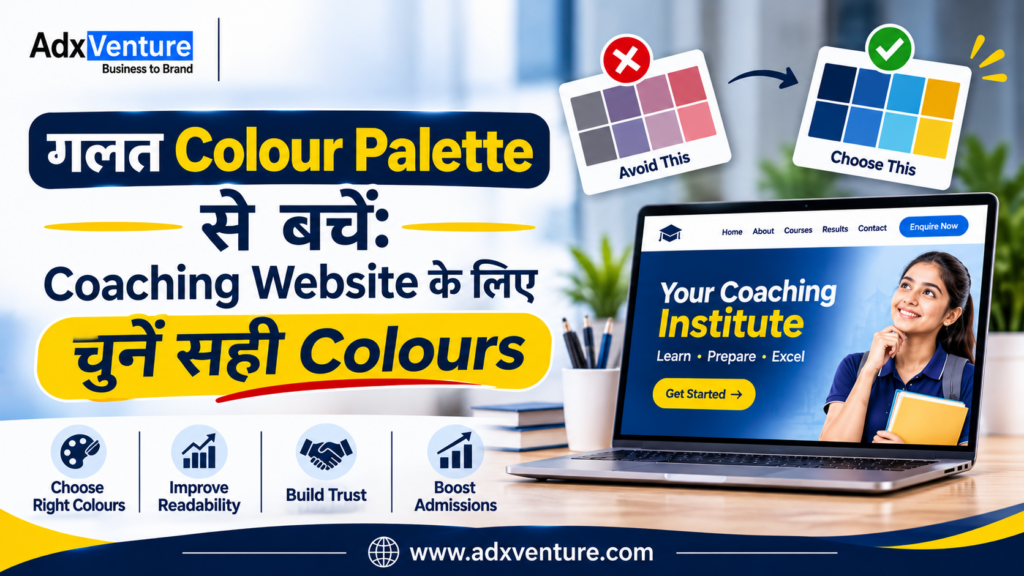
गलत Colour Palette से बचें: Coaching Website के लिए चुनें सही Colours

गलत Colour Palette से बचें: Coaching Website के लिए चुनें सही Colours Best colour palette for coaching website  चुनना सिर्फ Design को सुंदर बनाने तक सीमित नहीं है। सही Colours आपके Coaching Institute की Brand Identity को मजबूत करते हैं और Students व Parents के बीच Professional और Trustworthy Image बनाने में मदद करते हैं। बहुत सारे Bright Colours, कम Contrast और अलग–अलग Button Colours Website को Confusing बना सकते हैं। आइए जानते हैं कि अपने Coaching Institute के लिए सही Colour Palette कैसे चुनें, कौन–से Colour Combinations बेहतर हैं और किन Design Mistakes से बचना चाहिए।   Best colour palette for coaching website चुनना क्यों जरूरी है? Coaching Institute की Website पर Students और Parents अलग-अलग जरूरतों के साथ आते हैं, जैसे Competitive Exams या School Coaching की जानकारी लेना। ऐसे में सही Visual Design उन्हें जरूरी Information आसानी से समझने में मदद करता है। एक अच्छी Colour Palette चार मुख्य चीजों को बेहतर बनाती है: Brand Recognition: सभी Platforms पर समान Colours से Brand Identity मजबूत होती है। Visual Hierarchy और Readability: Important Information और Buttons आसानी से दिखाई देते हैं। User Experience: Consistent Colours Visitors को सही Information और Actions तक पहुँचने में मदद करते हैं। ध्यान रखें, Colours सीधे Admissions नहीं बढ़ाते, लेकिन बेहतर Website Experience और Enquiry Journey बनाने में मदद कर सकते हैं। Coaching institute website color psychology को समझें Colour Psychology बताती है कि अलग-अलग Colours लोगों की Emotions और Perceptions को कैसे प्रभावित कर सकते हैं।2025 की एक Systematic Review में 132 Research Papers और 64 देशों के 42,266 Participants के Findings का विश्लेषण किया गया। Research में Colours और Emotions के बीच कई Consistent Associations देखे गए। हालांकि, Colour का प्रभाव उसके Context, Brightness और Saturation पर भी निर्भर करता है। 1. Blue – Trust और Professionalism Blue एक अच्छा विकल्प हो सकता है उन Institutes के लिए जो अपने Brand को Professional, Disciplined और Trustworthy दिखाना चाहते हैं। Suitable for: Competitive Exam Coaching UPSC और SSC Institutes Banking और Government Exam Preparation Online Learning Platforms Dark Navy Blue को Headings, Navigation और Important Sections में इस्तेमाल किया जा सकता है। 2. Green – Growth और Progress Green को अक्सर Growth, Balance और Progress से जोड़ा जाता है। यह उन Institutes के लिए उपयोगी Design Direction हो सकती है जो Conceptual Learning, Skill Development और Long-Term Student Growth पर ध्यान देते हैं। Suitable for: Skill Development Institutes Language Learning Centres Academic Coaching Professional Training Institutes Green के साथ White या Light Cream का इस्तेमाल Website को साफ और Balanced बना सकता है। 3. Orange – Energy और Action Orange एक Attention-Grabbing Colour है। इसका उपयोग महत्वपूर्ण Buttons, Limited-Time Admission Announcements या अन्य Action Elements को Highlight करने के लिए किया जा सकता है। Suitable for: Entrance Exam Coaching Coding और Technology Courses Young Learner Programmes Test Preparation Institutes पूरी Website को Orange बनाने के बजाय इसे Accent Colour के रूप में इस्तेमाल करना बेहतर है। 4. Yellow – Attention और Highlighting Yellow का उपयोग Important Notices, Highlights और छोटे Visual Elements के लिए किया जा सकता है। उदाहरण के लिए, Course Page पर New Batch, Important Dates या Scholarship Information को Highlight किया जा सकता है। लेकिन Light Yellow Background पर White Text का इस्तेमाल न करें। इससे Text पढ़ना मुश्किल हो सकता है।   अपने Coaching Institute के लिए Professional Website बनवाना चाहते हैं? आज ही Adxventure को Call करें   📞 +91-9149214580 Best Colours for Coaching Institute Website कैसे चुनें? Colour चुनने से पहले अपने Institute की वास्तविक Identity समझें। केवल यह देखकर Colour Select न करें कि दूसरी Coaching Website पर कौन-सा Colour अच्छा दिख रहा है। इन पाँच बातों पर ध्यान दें। 1. अपने Target Students को समझें सबसे पहले समझें कि आपकी Coaching किस Age Group और Audience को Target करती है। Class 6–12 के Students के लिए Friendly Colours, जबकि UPSC, SSC और Banking Coaching के लिए Professional Colour Combinations बेहतर हो सकते हैं। Parents की Preferences को भी ध्यान में रखें, क्योंकि Admission Decision में उनकी अहम भूमिका होती है। 2. Courses और Teaching Approach को ध्यान में रखें आपके Courses और Teaching Style के अनुसार Website Colours चुने जाने चाहिए। Coding Classes के लिए Blue और Teal, जबकि School-Level Coaching के लिए Blue, Green और Light Neutral Colours इस्तेमाल कर सकते हैं। Colours आपके Institute की Teaching Approach और Brand Personality से Match होने चाहिए। 3. अपने Existing Brand Colours को प्राथमिकता दें अगर आपके Institute का Logo पहले से मौजूद है, तो उसी के Primary और Secondary Colours से Website Palette तैयार करें। इन्हें Headings, Buttons, Icons और Backgrounds में Consistently इस्तेमाल करें। इससे Website, Social Media Posts, Admission Brochures और Offline Banners में एक जैसी Brand Identity बनी रहेगी। 4. Mobile और Desktop दोनों पर Colours Test करें आपकी Website Mobile और Desktop दोनों Devices पर अच्छी दिखाई देनी चाहिए। Navigation Menu, Course Cards, Enquiry Forms और Admission Buttons को अलग-अलग Screen Sizes पर Check करें। खासतौर पर Text Readability, Button Visibility और Colour Contrast पर ध्यान दें। 5. Colours को वास्तविक Users के साथ Test करें Final Colour Palette चुनने से पहले उसका Prototype Students, Parents और Admission Counsellors को दिखाएँ। उनसे पूछें कि क्या Text आसानी से पढ़ा जा रहा है और Enquiry Buttons स्पष्ट दिखाई दे रहे हैं। उनके Feedback के आधार पर जरूरी बदलाव करें, ताकि Website सभी Visitors के लिए आसान हो। AdxVenture के साथ अपने Coaching Institute की Professional Website बनवाएं Adxventure को 15+ years of experience है Website Design और Digital Marketing के क्षेत्र में। हमने Education Centers, Colleges और अन्य Educational Institutions के लिए कई Websites बनाई हैं। इस अनुभव के आधार पर हम समझते हैं कि एक Coaching Institute की Website में कौन-से Features होने चाहिए और Students व Parents को किस तरह की Information चाहिए। हम आपकी Website के लिए सही Colour Palette, Professional Design, Mobile-Friendly Layout और SEO-Friendly Structure तैयार करने में मदद करते हैं। अपने Coaching Institute के लिए Professional और Lead-Focused Website बनवाने के लिए आज ही Adxventure से जुड़ें। Explore Our Packages – Starting from Rs. 7,999/- Professional Website Colour Combinations:

Website design cost in india

Cheap Website vs Professional Website: The Hidden Cost Nobody Talks About

Website Design Cost in India: सस्ती Website बनवाकर कहीं आप अपने Business का नुकसान तो नहीं कर रहे? क्या आप अपने Business के लिए Website बनवाने की Planning कर रहे हैं? केवल कम कीमत देखकर Developer चुनना भविष्य में महंगा साबित हो सकता है। मान लीजिए, एक Developer ₹5,000 में Website बना रहा है और दूसरा ₹25,000 Charge कर रहा है। क्या कम कीमत वाली Website आपके Business के लिए सही Option होगी? इस Blog में जानिए website design cost in india, Cheap Website vs Professional Website का अंतर, Hidden Costs और अपने Business के लिए सही Website चुनने के तरीके। 1. What Is the Difference Between a Cheap Website and a Professional Website? Cheap Website आमतौर पर Basic Requirements पूरी करती है, जबकि Professional Website को Business Goals, Branding और Customer Experience के अनुसार Develop किया जाता है। एक Basic Website में Homepage, About Us, Services और Contact Pages हो सकते हैं। Professional Development में Navigation, Mobile Responsiveness और User Experience पर भी ध्यान दिया जाता है। उदाहरण के लिए, coaching institute website design में Courses, Faculty Details, Fees और Admission Information आसानी से मिलनी चाहिए। इससे Students और Parents को सही जानकारी खोजने में मदद मिलती है। 2. Why Can a Cheap Website Become Expensive in the Long Run? कम कीमत में Website बनवाना शुरुआत में अच्छा Decision लग सकता है। लेकिन Hosting, Domain Renewal, Maintenance और Technical Support की Cost भी आपके Total Budget का हिस्सा होती है। भारत में website design cost in india तय करते समय Initial Price के साथ Long-Term Expenses भी समझें। अगर हर छोटे Change के लिए Additional Payment करनी पड़े, तो Total Investment बढ़ सकती है। हालाँकि, हर Cheap Website महंगी नहीं होती। सही Planning, Reliable Tools और स्पष्ट Requirements के साथ कम Budget में भी Functional Website बनाई जा सकती है। 3. Hidden Cost No. 1: Losing Potential Customers Without Knowing It कल्पना कीजिए, कोई Customer Google पर आपकी Services Search करता है और आपकी Website पर पहुँचता है। लेकिन Website धीरे खुलती है या जरूरी Information आसानी से नहीं मिलती। ऐसी स्थिति में Customer आपकी Website छोड़कर Competitor की Website पर जा सकता है। इससे आप Potential Enquiries और Customers खो सकते हैं, जिसका पता शायद आपको न चले। मान लीजिए, आपकी Website पर हर महीने 1,000 Visitors आते हैं और 2% Customers बनते हैं। Conversion Rate 3% होने पर वही Traffic 20 के बजाय 30 Customers दे सकता है। 4. Hidden Cost No. 2: Your Website May Affect Your SEO Performance Google Search Results में दिखाई देने के लिए Website बनवाना पर्याप्त नहीं है। Website Structure, Page Speed, Content Quality, Mobile Experience और Technical SEO भी महत्वपूर्ण हैं। कुछ Websites में Missing Meta Titles, Broken Links और Incorrect Indexing जैसी Problems हो सकती हैं। इन Issues को ठीक करने में अतिरिक्त समय और पैसे लग सकते हैं। उदाहरण के लिए, एक coaching class website में Courses और Subjects के लिए अलग-अलग Pages होने चाहिए। SEO-Friendly Structure Ranking में मदद कर सकता है, लेकिन Google पर Top Position की Guarantee नहीं देता। 5. Hidden Cost No. 3: A Poor Website Can Damage Your Brand Image Customers अक्सर किसी Business से Contact करने से पहले उसकी Online Presence देखते हैं। Outdated Information, Blurry Images और Broken Buttons Website को Unprofessional दिखा सकते हैं। मान लीजिए, आप Premium Services Offer करते हैं, लेकिन आपकी Website का Design आपके Business की Quality को सही तरीके से Present नहीं करता। इससे कुछ Customers का Trust कम हो सकता है। Professional Website में Colours, Fonts, Images और Content को Brand Identity के अनुसार Plan किया जाता है। अच्छी coaching institute website design आपके Institute की Information को व्यवस्थित तरीके से Present कर सकती है। 6. Hidden Cost No. 4: Expensive Redesign When Your Business Grows Business Grow होने के साथ Website की Requirements भी बदल सकती हैं। आपको Online Booking, Payment Gateway, Registration Forms या नए Service Pages की जरूरत पड़ सकती है। अगर आपकी Existing Website इन Changes को Support नहीं करती, तो Redesign करवाना पड़ सकता है। इससे पहले किया गया Investment भी अपेक्षा से कम उपयोगी साबित हो सकता है। इसलिए शुरुआत में हर Advanced Feature बनवाना जरूरी नहीं है। Website को Future Requirements के अनुसार Plan करना Long-Term Costs को Manage करने में मदद कर सकता है। 7. Hidden Cost No. 5: Paying Extra for Every Small Website Update मान लीजिए, आपको Website पर Phone Number बदलना है या नया Banner लगाना है। अगर हर छोटे Update के लिए Developer को अलग Payment करनी पड़े, तो खर्च बढ़ सकता है। Website बनवाने से पहले Hosting, Domain Renewal, Maintenance और Technical Support की जानकारी जरूर लें। इससे पता चलेगा कि कौन-सी Services Development Package में Included हैं। Developer से पूछें कि क्या आप खुद Content Update कर सकते हैं। Domain Ownership, Hosting Access, Website Backup और Security Updates की जिम्मेदारी भी पहले से स्पष्ट करें। 8. Cheap Website vs Professional Website: Which One Is Better? Cheap Website कम Budget वाले Businesses के लिए उपयोगी हो सकती है। Professional Website में Business Requirements, User Experience और Future Growth की Planning पर अधिक ध्यान दिया जा सकता है। दोनों Options की तुलना करते समय केवल Price न देखें। Design, Functionality, Mobile Responsiveness, Customisation और Maintenance की जानकारी भी जरूर लें। Factor Cheap Website Professional Website Initial Cost आमतौर पर कम Requirements के अनुसार अधिक Design Basic या Template-Based Brand-Focused User Experience Implementation पर निर्भर Planned Navigation SEO Basic Setup हो सकता है SEO-Friendly Structure की Planning Customisation Platform पर निर्भर Requirements के अनुसार Maintenance Terms अलग हो सकती हैं Support Options तय किए जा सकते हैं 9. How to Choose the Right Website for Your Business? Website बनवाने से पहले अपने Business Goals और Target Audience को समझें। इससे जरूरी Features और सही Budget तय करने में मदद मिलेगी। अगर आप Coaching Institute चलाते हैं, तो Courses, Faculty Details, Fees और Enquiry Forms उपयोगी होंगे। एक अच्छी website for coaching class में Mobile-Friendly Design और Clear Contact Information भी होनी चाहिए। Developer से अपनी Requirements स्पष्ट करें और अलग-अलग Proposals की तुलना

coaching class website

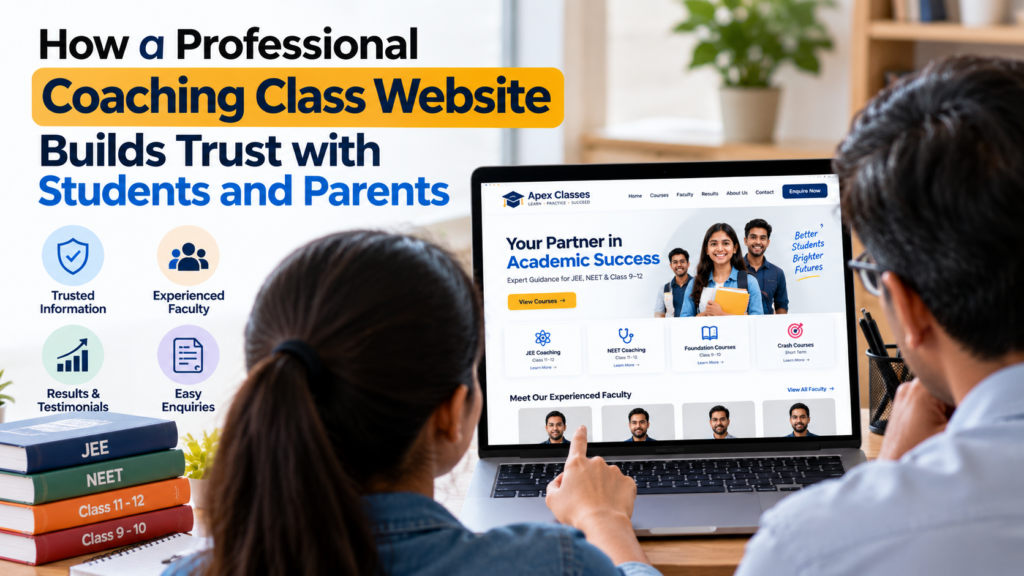
How a professional Website can build trust in your Coaching Institute Website

How a Professional Coaching Class Website Builds Trust with Students and Parents आज के competitive education market में केवल अच्छे teachers और quality education होना ही काफी नहीं है। Students और parents admission लेने से पहले institute के बारे में online information भी check करते हैं। अगर उन्हें आपके courses, faculty, teaching methods, results और contact details की सही जानकारी आसानी से मिल जाती है, तो आपके institute पर भरोसा करना उनके लिए आसान हो सकता है। एक professional coaching class website आपके institute की identity को मजबूत बनाने, important information share करने और interested students को admission enquiries तक पहुँचाने में मदद कर सकती है। 1. Students और Parents के बीच First Impression बेहतर बनाएँ जब कोई student Google पर आपके institute को search करता है, तो आपकी website उसके लिए first introduction बन सकती है। Clean layout, readable text और professional design आपके institute को organised और serious दिखाते हैं। इसके विपरीत, outdated information, broken links और confusing navigation visitors के मन में सवाल पैदा कर सकते हैं। उन्हें यह समझने में परेशानी हो सकती है कि institute अभी active है या नहीं। इसलिए website बनाते समय केवल attractive colours और animations पर ध्यान न दें। ऐसी design चुनें जो visitors को सही information जल्दी दे और उन्हें अगला step समझने में मदद करे। 2. अपने Courses और Teaching Approach को Clearly Explain करें Students जानना चाहते हैं कि आपके institute में कौन-से courses उपलब्ध हैं, classes किस level के लिए हैं और teaching approach क्या है। Website पर इन सभी details को अलग-अलग sections में व्यवस्थित करें। उदाहरण के लिए, अगर आप Class 9–12 की tuition, JEE preparation और NEET coaching देते हैं, तो प्रत्येक course की eligibility, subjects, batch details और available learning support स्पष्ट रूप से बताएं। एक अच्छी website for coaching class visitors को basic information के लिए बार-बार phone करने की जरूरत कम कर सकती है। इससे वे समझदारी से enquiry करने का निर्णय ले सकते हैं। 3. Experienced Faculty की जानकारी Share करें Parents अक्सर यह जानना चाहते हैं कि उनके बच्चों को कौन पढ़ाएगा। इसलिए faculty profiles में teachers के नाम, relevant qualifications, subjects और teaching experience की verified जानकारी शामिल करें। Teachers की वास्तविक photographs और short introductions website को अधिक personal बना सकते हैं। इससे prospective students को institute के teaching team के बारे में बेहतर understanding मिलती है। हालाँकि, faculty experience या qualifications को बढ़ा-चढ़ाकर प्रस्तुत न करें। केवल वही information publish करें जिसे आप verify कर सकते हैं, क्योंकि transparency trust बनाने का महत्वपूर्ण हिस्सा है। 4. Genuine Results और Student Success Stories दिखाएँ Academic results coaching institute की credibility को support कर सकते हैं, लेकिन उन्हें सही context में प्रस्तुत करना जरूरी है। Selected students की achievements, exam names और relevant academic sessions की जानकारी स्पष्ट रूप से दें। अगर आप testimonials शामिल करते हैं, तो genuine students या parents की permission लेकर ही उनका feedback publish करें। Results के साथ ऐसी wording से बचें जो हर student के लिए guaranteed selection या marks का दावा करे। याद रखें, trust केवल बड़े numbers दिखाने से नहीं बनता। Accurate information, genuine feedback और achievements की transparent presentation visitors को आपके institute का बेहतर assessment करने में मदद करती है। 5. Website पर Fees और Admission Process Clear रखें Admission से पहले students और parents अक्सर course fees, batch timings, admission dates और payment-related details जानना चाहते हैं। यदि यह information उपलब्ध नहीं है, तो वे दूसरे institutes की websites भी देख सकते हैं। आप अपनी website पर fee structure या indicative fee range, available batches और admission steps का section बना सकते हैं। यदि fees course या batch के अनुसार बदलती हैं, तो यह बात स्पष्ट लिखें। हर detail public करना जरूरी नहीं है, लेकिन जो information आप share करते हैं वह updated होनी चाहिए। इससे unnecessary confusion कम होता है और visitors को enquiry करने से पहले relevant details समझने में मदद मिलती है। 6. Mobile-Friendly Design और Fast Navigation को Priority दें कई prospective students और parents mobile phones पर institutes search करते हैं। इसलिए आपकी website का mobile screen पर सही तरीके से खुलना, text का readable होना और buttons का आसानी से click होना महत्वपूर्ण है। अगर visitors को course details खोजने के लिए कई pages खोलने पड़ते हैं, तो उनका experience frustrating हो सकता है। Main menu में Courses, About Us, Faculty, Results और Contact जैसे relevant sections रखें। Professional coaching institute website design में responsive layouts, clear navigation और usable enquiry forms पर ध्यान देना चाहिए। Website को अलग-अलग screen sizes पर test करें, ताकि information आसानी से access की जा सके। 7. Contact Details और Enquiry Process को Simple बनाएँ Website पर institute का phone number, email address, complete address और working hours जैसी relevant details clearly दिखाएँ। यदि आपका institute local students को target करता है, तो location information भी उपयोगी हो सकती है। Enquiry form में केवल जरूरी fields रखें, जैसे student name, contact number, preferred course और optional message। बहुत ज्यादा information माँगने से form भरना unnecessarily difficult हो सकता है। WhatsApp या call button भी उपयोगी हो सकता है, बशर्ते वह सही number से connected हो। Form submit होने के बाद clear confirmation दें और enquiries का timely follow-up करने की व्यवस्था बनाएँ। 8. Website Design में Trust-Building Elements शामिल करें Coaching class Website पर institute का genuine address, real photographs, faculty details, verified reviews और clear policies जैसे elements visitors को useful information देते हैं। इन्हें केवल decoration की तरह नहीं, बल्कि decision-making में मदद करने के लिए इस्तेमाल करें। अगर आपके पास classroom photographs, teaching sessions या actual learning resources हैं, तो उन्हें context के साथ दिखाएँ। Stock images को अपने institute की वास्तविक facilities के रूप में प्रस्तुत न करें। इसी तरह, privacy policy और enquiry form के माध्यम से personal information कैसे collect की जाती है, इसकी स्पष्ट जानकारी देना उचित है। Transparency visitors को यह समझने में मदद करती है कि वे अपनी details किसके साथ share कर रहे हैं। 9. Website Design Cost को समझकर सही Investment करें कई

How Much Does a Coaching Institute Website Cost in India?

Website design cost in india: Coaching Institute Website Pricing Guide अगर आप अपने Coaching Institute को Online ले जाना चाहते हैं, तो website बनवाने से पहले उसका budget समझना ज़रूरी है। एक अच्छी website students और parents को आपके courses, faculty, results और admission process की जानकारी दे सकती है। भारत में Coaching Institute की website बनवाने का खर्च उसके design, pages, features और development requirements पर निर्भर करता है। एक simple informational website और online classes या student login वाली website का budget अलग होगा। इस guide में आप जानेंगे कि website की estimated cost कितनी हो सकती है, किन features पर खर्च बढ़ता है और सही developer चुनते समय किन बातों का ध्यान रखना चाहिए। 1. Coaching Institute Website की Cost कितनी होती है? भारत में एक basic coaching website के लिए लगभग ₹10,000–₹30,000 का indicative budget रखा जा सकता है। Custom design, additional pages और advanced features की ज़रूरत होने पर खर्च ₹30,000 से ₹1,00,000 या उससे अधिक भी हो सकता है। ये planning estimates हैं, किसी fixed market rate या guaranteed quotation का दावा नहीं। Actual price developer, project scope, content requirements और technology के अनुसार बदल सकती है। Website design cost in india का सही estimate पाने के लिए पहले यह तय करें कि आपको केवल institute की जानकारी दिखानी है या admissions, online payments और student management भी website से संभालना है। 2. Website के Type के हिसाब से Budget Basic Website: लगभग ₹10,000–₹30,000 के indicative budget में Home, About, Courses, Faculty, Contact और enquiry form जैसे essential pages शामिल हो सकते हैं। यह नए coaching centres के लिए एक practical starting point है। Professional Website: लगभग ₹30,000–₹80,000 में custom layouts, detailed course pages, results section, blog और improved enquiry experience जैसी सुविधाएँ मिल सकती हैं। Final scope के अनुसार कीमत कम या अधिक हो सकती है। Advanced Website: Student login, online fee payment, test series, recorded lectures या Learning Management System (LMS) वाली website के लिए ₹80,000 से ₹2,00,000+ का budget लग सकता है। Complex integrations और custom software की लागत इससे अधिक भी हो सकती है। 3. Website की Cost किन Factors पर Depend करती है? सबसे पहले pages की संख्या और design complexity cost को प्रभावित करती है। पाँच सामान्य pages वाली website और कई courses, branches, faculty profiles तथा exam-specific landing pages वाली website में development effort अलग होगा। दूसरा factor functionality है। Contact form, WhatsApp button और Google Maps जैसी सुविधाएँ अपेक्षाकृत simple हो सकती हैं, जबकि student dashboards, automated notifications और payment integrations के लिए अतिरिक्त development और testing चाहिए। तीसरा factor content है। अगर आपको professional copywriting, original photography, result presentation या Hindi-English content चाहिए, तो इनके लिए अलग budget रखना पड़ सकता है। पहले से तैयार और accurate content होने पर development process आसान हो सकता है। 4. Coaching Website में कौन-से Features ज़रूरी हैं? एक उपयोगी coaching class website में Home, About, Courses, Faculty, Results और Contact जैसे pages होने चाहिए। हर course की eligibility, subjects, duration और batch information स्पष्ट रखें, ताकि students को बार-बार call करने की ज़रूरत न पड़े। Enquiry form, WhatsApp contact, mobile-friendly layout और clear admission CTA भी महत्वपूर्ण हैं। यदि आप demo classes देते हैं, तो demo booking form जोड़ सकते हैं ताकि interested students आसानी से अपनी details submit कर सकें। Website को future में update करना भी आसान होना चाहिए। CMS या admin panel की मदद से आप नए batches, notices, faculty details और results update कर सकते हैं, बशर्ते चुने गए development package में यह functionality शामिल हो। 5. Basic Website और Advanced Website में क्या अंतर है? Basic website का मुख्य उद्देश्य institute की जानकारी उपलब्ध कराना और enquiries प्राप्त करना है। यह उन coaching centres के लिए पर्याप्त हो सकती है जो अभी offline classes चलाते हैं और अपनी digital presence बनाना चाहते हैं। Advanced website तब उपयोगी होती है जब institute को online admissions, fee collection, study material, student login या online examinations की सुविधा चाहिए। इन features के साथ security, testing और ongoing technical support की requirements भी बढ़ती हैं।   इसलिए केवल ज्यादा features देखकर फैसला न करें। पहले अपने current business model और student requirements को समझें, फिर वही functionality चुनें जिसकी आपको वास्तव में ज़रूरत है। 6. Website की Hidden और Recurring Costs Website launch होने के बाद भी कुछ expenses जारी रह सकते हैं। Domain renewal, hosting, SSL arrangements, business email और maintenance की cost इस बात पर निर्भर करती है कि कौन-सी services आपके package में शामिल हैं और उनकी renewal terms क्या हैं। Content updates, technical support, backup management और security monitoring के लिए भी charges लग सकते हैं। यदि आप online payments स्वीकार करते हैं, तो payment gateway की applicable transaction fees और service terms भी check करें। Quotation लेते समय पूछें कि first-year package में क्या शामिल है और अगले साल कितना भुगतान करना होगा। GST, renewal charges, additional page fees और support limitations को लिखित quotation में स्पष्ट करवा लें। 7. Coaching Institute के लिए Website कैसे चुनें? अगर आपका institute नया है और आप केवल courses, faculty तथा contact details दिखाना चाहते हैं, तो basic website से शुरुआत करना उचित हो सकता है। इससे आप unnecessary functionality पर खर्च किए बिना online presence बना सकते हैं। अगर आप कई competitive exams की coaching देते हैं, तो हर major course के लिए dedicated page, faculty information, results और admission enquiries की सुविधा उपयोगी हो सकती है। ऐसे में website for coaching class को केवल digital brochure नहीं, बल्कि information और enquiry channel की तरह plan करें। अगर आपका लक्ष्य online teaching है, तो LMS, recorded lessons, student accounts और test functionality की requirements पहले define करें। एक detailed scope developer को सही estimate देने और आपको future में unexpected expenses से बचने में मदद करेगा। 8. सस्ता Developer चुनने से पहले क्या Check करें? सबसे कम quotation हमेशा सबसे अच्छा option नहीं होता। यह देखें कि developer responsive design, essential pages, enquiry functionality, basic technical SEO और website handover जैसी चीज़ें शामिल कर रहा है या नहीं। अपने quotation में ownership और

How to Improve Website Loading Speed Without Rebuilding Everything

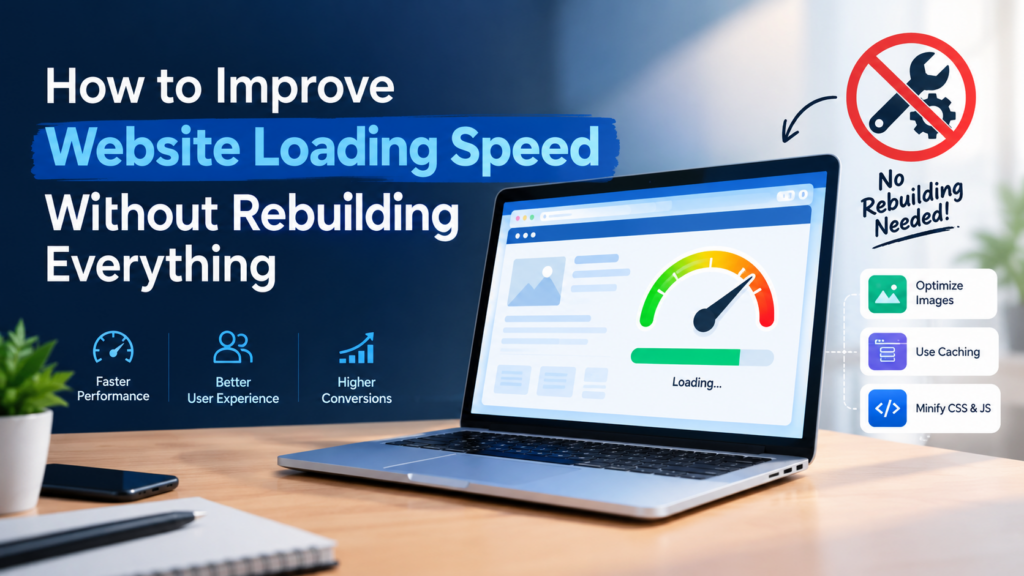
How to Improve Website Loading Speed Without Rebuilding Everything

अगर आपकी website slow load होती है, तो आपको पूरी website दोबारा बनाने की जरूरत नहीं है। सही website optimization strategy के साथ कुछ targeted changes करके loading time, user experience और website performance बेहतर की जा सकती है। आज के digital world में visitors fast-loading websites पसंद करते हैं। अगर आपकी website खुलने में ज्यादा समय लेती है, तो users page छोड़कर competitor की website पर जा सकते हैं। इसलिए improve website loading speed without rebuilding everything हर business owner के लिए एक useful website optimization approach हो सकती है। इस guide में हम 9 practical website speed optimization tips समझेंगे। इनकी मदद से आप images, caching, plugins, hosting और website code को optimize कर सकते हैं। Why Is Website Loading Speed Important? Website speed सिर्फ technical issue नहीं है। इसका असर user experience, engagement और enquiries पर भी पड़ सकता है। जब कोई visitor आपकी website खोलता है, तो वह जल्दी से services, pricing और contact details देखना चाहता है। Slow website उसके experience को खराब कर सकती है। अगर आप improve website loading speed without rebuilding everything चाहते हैं, तो सबसे पहले यह समझना जरूरी है कि website performance किन factors पर निर्भर करती है। Fast website visitors को information जल्दी access करने में मदद करती है। इससे users के लिए forms भरना, service pages देखना और contact करना आसान हो सकता है। Google भी Core Web Vitals जैसे page experience signals को अपने ranking systems में इस्तेमाल करता है। हालांकि, केवल website speed सुधारने से top ranking की guarantee नहीं मिलती। आप Google की official Core Web Vitals Guide से performance metrics के बारे में detail में जान सकते हैं। 9 Ways to Improve Website Loading Speed Without Rebuilding Everything अगर आपकी website slow है, तो पहले उन issues को identify करें जो loading time को प्रभावित कर रहे हैं। Improve website loading speed without rebuilding everything करने के लिए नीचे दिए गए steps एक practical starting point हैं। 1. Check Your Website Speed First Website optimization शुरू करने से पहले यह पता लगाना जरूरी है कि आपकी website slow क्यों है। बिना testing के random changes करने से समय बर्बाद हो सकता है। कई बार problem images में होती है, जबकि कुछ websites में hosting, JavaScript या unnecessary plugins performance को प्रभावित करते हैं। इसलिए improve website loading speed without rebuilding everything करने का पहला step performance audit होना चाहिए। अपनी website का URL Google PageSpeed Insights में enter करें। यह tool mobile और desktop performance reports देता है और potential improvements भी दिखाता है। Report में इन metrics पर ध्यान दें: LCP: Main content कितनी जल्दी दिखाई देता है। अच्छा target 2.5 seconds या उससे कम है। INP: User interaction के बाद page कितनी जल्दी respond करता है। अच्छा target 200 milliseconds या उससे कम है। CLS: Page load होते समय layout कितना unexpectedly move करता है। अच्छा target 0.1 या उससे कम है। इन metrics को field data और lab data के context में समझें। हर website को एक ही fix की जरूरत नहीं होती। 2. Optimize Large Images Large images website loading slow होने का एक common कारण हैं। अगर आपकी website पर high-resolution banners, product photos या background images हैं, तो उनका file size काफी बड़ा हो सकता है। Images को optimize करना improve website loading speed without rebuilding everything की एक आसान शुरुआत है। Images को optimize करने के लिए: जहां suitable हो, WebP या AVIF जैसे modern formats चुनें। Images को actual display dimensions के अनुसार resize करें। Image compression tools से file size कम करें। Below-the-fold images पर lazy loading इस्तेमाल करें। जरूरत से ज्यादा large background images avoid करें। ध्यान रखें कि website के main hero image को lazy-load करना हमेशा सही नहीं होता। इससे सबसे important content दिखाई देने में देरी हो सकती है। Image quality इतनी कम न करें कि आपकी website unprofessional दिखने लगे। सही balance से image quality और performance दोनों maintain किए जा सकते हैं। Image suggestion: Compressed image और original image की comparison वाली image इस्तेमाल करें। Image ALT: improve website loading speed without rebuilding everything 3. Use a Caching Plugin अगर आपकी website WordPress पर बनी है, तो caching website speed optimization का एक useful तरीका हो सकता है। Caching website के कुछ resources को store करती है, जिससे हर visit पर server को पूरा page दोबारा generate नहीं करना पड़ता। अगर आप improve website loading speed without rebuilding everything चाहते हैं, तो अपनी hosting और existing setup के अनुसार caching configuration check करें। WordPress के लिए LiteSpeed Cache, WP Rocket या W3 Total Cache जैसे tools उपयोगी हो सकते हैं। Caching setup करते समय इन features को check करें: Page caching Browser caching Cache expiration rules CSS और JavaScript optimization Website updates के बाद cache clearing एक साथ कई caching plugins install न करें। इससे configuration conflicts और unexpected website issues हो सकते हैं। 4. Remove Unnecessary WordPress Plugins हर plugin website में extra code, scripts या database operations जोड़ सकता है। हालांकि, सभी plugins website को slow नहीं करते; उनका actual impact test करना चाहिए। WordPress dashboard में installed plugins की list check करें। ऐसे plugins पहचानें जिनका इस्तेमाल नहीं हो रहा है या जिनके features दूसरे tools में पहले से मौजूद हैं। Improve website loading speed without rebuilding everything के लिए unnecessary plugins की समीक्षा करना एक practical step है। Unnecessary plugins को deactivate करने के बाद, यदि जरूरत न हो, तो uninstall भी करें। इससे website maintenance आसान हो सकती है और कुछ unnecessary processing कम हो सकती है। लेकिन security, backups, forms या जरूरी website functionality देने वाले plugins को बिना alternative के remove न करें। किसी plugin को हटाने से पहले backup लेना और staging website पर changes test करना बेहतर है। 5. Optimize Your Elementor Website Elementor website builders को बिना coding के pages बनाने में मदद करता है। लेकिन बहुत complex layouts, excessive widgets और unnecessary animations performance को प्रभावित कर सकते हैं। अगर आपकी website Elementor पर बनी है, तो improve website loading speed without rebuilding everything के लिए पहले

Exclusive Deals to Build Your Dream Website

Never Miss Out on a Discount

Book Your Demo Class!

Please fill the below form to book your Demo Class.