Author name: Hardeep Kaur

Hardeep Kaur | Digital Marketing Professional at Adxventure, Dehradun, with 2–3 years of experience in the digital marketing industry. Skilled in SEO, Google Ads, PPC, Social Media Marketing, Website Development, Branding, Content Marketing and Online Advertising. Passionate about helping businesses build a strong online presence, generate quality leads and achieve sustainable digital growth.

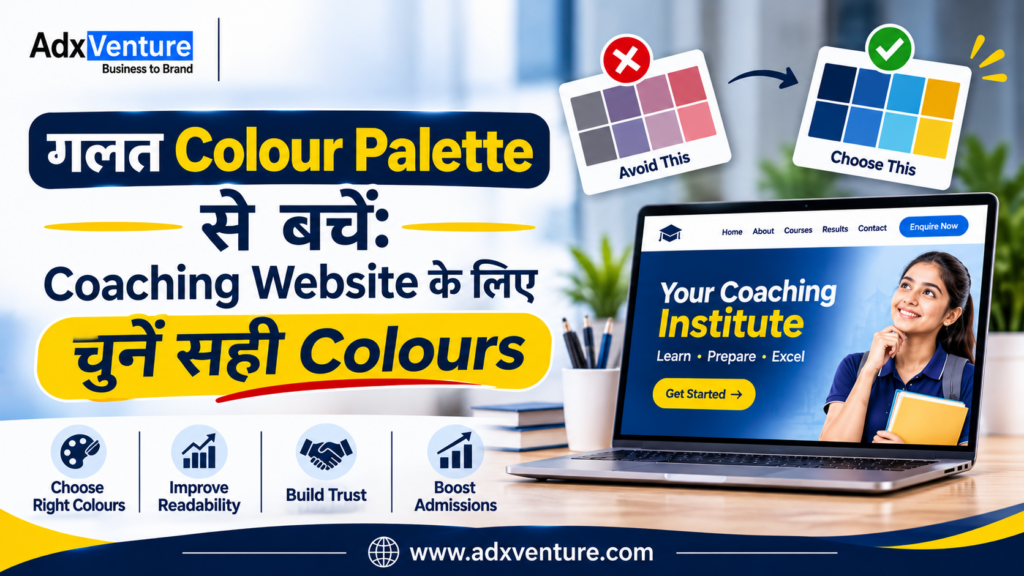
गलत Colour Palette से बचें Coaching Website के लिए चुनें सही Colours

गलत Colour Palette से बचें: Coaching Website के लिए चुनें सही Colours

गलत Colour Palette से बचें: Coaching Website के लिए चुनें सही Colours Best colour palette for coaching website  चुनना सिर्फ Design को सुंदर बनाने तक सीमित नहीं है। सही Colours आपके Coaching Institute की Brand Identity को मजबूत करते हैं और Students व Parents के बीच Professional और Trustworthy Image बनाने में मदद करते हैं। बहुत सारे Bright Colours, कम Contrast और अलग–अलग Button Colours Website को Confusing बना सकते हैं। आइए जानते हैं कि अपने Coaching Institute के लिए सही Colour Palette कैसे चुनें, कौन–से Colour Combinations बेहतर हैं और किन Design Mistakes से बचना चाहिए।   Best colour palette for coaching website चुनना क्यों जरूरी है? Coaching Institute की Website पर Students और Parents अलग-अलग जरूरतों के साथ आते हैं, जैसे Competitive Exams या School Coaching की जानकारी लेना। ऐसे में सही Visual Design उन्हें जरूरी Information आसानी से समझने में मदद करता है। एक अच्छी Colour Palette चार मुख्य चीजों को बेहतर बनाती है: Brand Recognition: सभी Platforms पर समान Colours से Brand Identity मजबूत होती है। Visual Hierarchy और Readability: Important Information और Buttons आसानी से दिखाई देते हैं। User Experience: Consistent Colours Visitors को सही Information और Actions तक पहुँचने में मदद करते हैं। ध्यान रखें, Colours सीधे Admissions नहीं बढ़ाते, लेकिन बेहतर Website Experience और Enquiry Journey बनाने में मदद कर सकते हैं। Coaching institute website color psychology को समझें Colour Psychology बताती है कि अलग-अलग Colours लोगों की Emotions और Perceptions को कैसे प्रभावित कर सकते हैं।2025 की एक Systematic Review में 132 Research Papers और 64 देशों के 42,266 Participants के Findings का विश्लेषण किया गया। Research में Colours और Emotions के बीच कई Consistent Associations देखे गए। हालांकि, Colour का प्रभाव उसके Context, Brightness और Saturation पर भी निर्भर करता है। 1. Blue – Trust और Professionalism Blue एक अच्छा विकल्प हो सकता है उन Institutes के लिए जो अपने Brand को Professional, Disciplined और Trustworthy दिखाना चाहते हैं। Suitable for: Competitive Exam Coaching UPSC और SSC Institutes Banking और Government Exam Preparation Online Learning Platforms Dark Navy Blue को Headings, Navigation और Important Sections में इस्तेमाल किया जा सकता है। 2. Green – Growth और Progress Green को अक्सर Growth, Balance और Progress से जोड़ा जाता है। यह उन Institutes के लिए उपयोगी Design Direction हो सकती है जो Conceptual Learning, Skill Development और Long-Term Student Growth पर ध्यान देते हैं। Suitable for: Skill Development Institutes Language Learning Centres Academic Coaching Professional Training Institutes Green के साथ White या Light Cream का इस्तेमाल Website को साफ और Balanced बना सकता है। 3. Orange – Energy और Action Orange एक Attention-Grabbing Colour है। इसका उपयोग महत्वपूर्ण Buttons, Limited-Time Admission Announcements या अन्य Action Elements को Highlight करने के लिए किया जा सकता है। Suitable for: Entrance Exam Coaching Coding और Technology Courses Young Learner Programmes Test Preparation Institutes पूरी Website को Orange बनाने के बजाय इसे Accent Colour के रूप में इस्तेमाल करना बेहतर है। 4. Yellow – Attention और Highlighting Yellow का उपयोग Important Notices, Highlights और छोटे Visual Elements के लिए किया जा सकता है। उदाहरण के लिए, Course Page पर New Batch, Important Dates या Scholarship Information को Highlight किया जा सकता है। लेकिन Light Yellow Background पर White Text का इस्तेमाल न करें। इससे Text पढ़ना मुश्किल हो सकता है।   अपने Coaching Institute के लिए Professional Website बनवाना चाहते हैं? आज ही Adxventure को Call करें   📞 +91-9149214580 Best Colours for Coaching Institute Website कैसे चुनें? Colour चुनने से पहले अपने Institute की वास्तविक Identity समझें। केवल यह देखकर Colour Select न करें कि दूसरी Coaching Website पर कौन-सा Colour अच्छा दिख रहा है। इन पाँच बातों पर ध्यान दें। 1. अपने Target Students को समझें सबसे पहले समझें कि आपकी Coaching किस Age Group और Audience को Target करती है। Class 6–12 के Students के लिए Friendly Colours, जबकि UPSC, SSC और Banking Coaching के लिए Professional Colour Combinations बेहतर हो सकते हैं। Parents की Preferences को भी ध्यान में रखें, क्योंकि Admission Decision में उनकी अहम भूमिका होती है। 2. Courses और Teaching Approach को ध्यान में रखें आपके Courses और Teaching Style के अनुसार Website Colours चुने जाने चाहिए। Coding Classes के लिए Blue और Teal, जबकि School-Level Coaching के लिए Blue, Green और Light Neutral Colours इस्तेमाल कर सकते हैं। Colours आपके Institute की Teaching Approach और Brand Personality से Match होने चाहिए। 3. अपने Existing Brand Colours को प्राथमिकता दें अगर आपके Institute का Logo पहले से मौजूद है, तो उसी के Primary और Secondary Colours से Website Palette तैयार करें। इन्हें Headings, Buttons, Icons और Backgrounds में Consistently इस्तेमाल करें। इससे Website, Social Media Posts, Admission Brochures और Offline Banners में एक जैसी Brand Identity बनी रहेगी। 4. Mobile और Desktop दोनों पर Colours Test करें आपकी Website Mobile और Desktop दोनों Devices पर अच्छी दिखाई देनी चाहिए। Navigation Menu, Course Cards, Enquiry Forms और Admission Buttons को अलग-अलग Screen Sizes पर Check करें। खासतौर पर Text Readability, Button Visibility और Colour Contrast पर ध्यान दें। 5. Colours को वास्तविक Users के साथ Test करें Final Colour Palette चुनने से पहले उसका Prototype Students, Parents और Admission Counsellors को दिखाएँ। उनसे पूछें कि क्या Text आसानी से पढ़ा जा रहा है और Enquiry Buttons स्पष्ट दिखाई दे रहे हैं। उनके Feedback के आधार पर जरूरी बदलाव करें, ताकि Website सभी Visitors के लिए आसान हो। AdxVenture के साथ अपने Coaching Institute की Professional Website बनवाएं Adxventure को 15+ years of experience है Website Design और Digital Marketing के क्षेत्र में। हमने Education Centers, Colleges और अन्य Educational Institutions के लिए कई Websites बनाई हैं। इस अनुभव के आधार पर हम समझते हैं कि एक Coaching Institute की Website में कौन-से Features होने चाहिए और Students व Parents को किस तरह की Information चाहिए। हम आपकी Website के लिए सही Colour Palette, Professional Design, Mobile-Friendly Layout और SEO-Friendly Structure तैयार करने में मदद करते हैं। अपने Coaching Institute के लिए Professional और Lead-Focused Website बनवाने के लिए आज ही Adxventure से जुड़ें। Explore Our Packages – Starting from Rs. 7,999/- Professional Website Colour Combinations:
Roorkee में कम बजट में Coaching Website Design के 5 Amazing Features

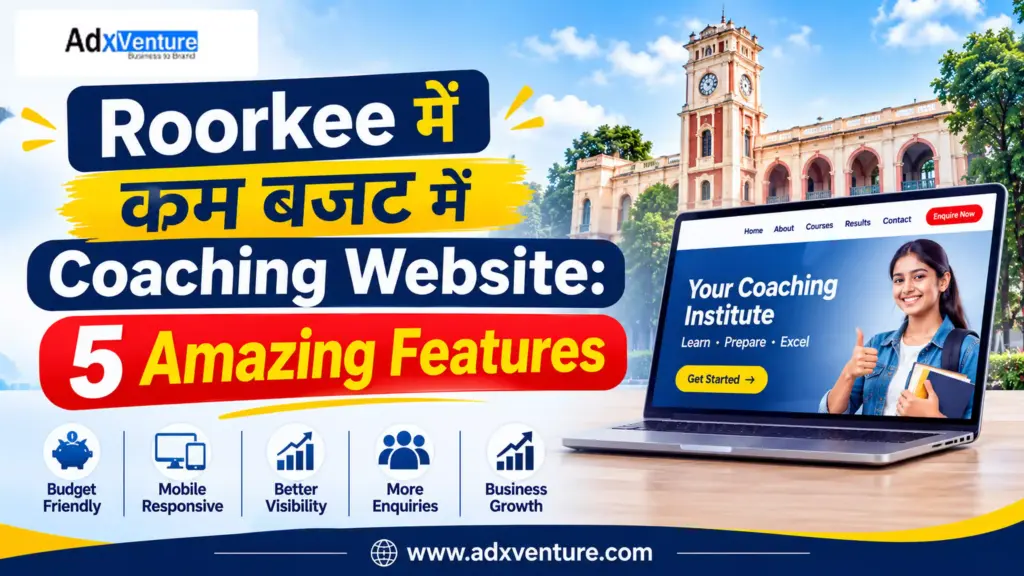
Roorkee में कम बजट में Coaching Website: 5 Amazing Features

Roorkee में कम बजट में Coaching Website: 5 Amazing Features Roorkee coaching institute website design का मकसद सिर्फ online presence बनाना नहीं है। Website पर students और parents को course, batch, faculty और contact details आसानी से मिलनी चाहिए। मान लीजिए, कोई student Roorkee में NEET या SSC coaching search करता है। क्या वह आपकी website पर कुछ ही मिनटों में सही जानकारी और enquiry का रास्ता खोज सकता है? कम budget में हर advanced feature जरूरी नहीं है। पहले उन features पर खर्च करें जो course information, local visibility और genuine enquiries में मदद करते हैं। Coaching institute website design में 5 जरूरी features 1. Mobile-Friendly Design और Fast Loading Students mobile से course details, location और contact information देखते हैं। इसलिए coaching institute website design mobile screen से शुरू करें, desktop layout को छोटा करके नहीं। Navigation भी simple रखें, ताकि visitor सीधे course page या enquiry form तक पहुंच सके। इन बातों को check करें: Text बिना zoom किए पढ़ा जा सके। Menu छोटा और आसान हो। Call और WhatsApp buttons आसानी से दिखें। Enquiry form mobile पर आसानी से भरा जा सके। Images compressed हों और page को slow न करें। Core Web Vitals क्यों देखें? Google के Core Web Vitals तीन real-world experience metrics मापते हैं: Metric Good target आसान मतलब LCP 2.5 seconds या कम Main content जल्दी दिखे INP 200 milliseconds से कम Tap या click के बाद response जल्दी मिले CLS 0.1 या कम Page load होते समय elements अचानक न खिसकें ये Google के documented “good” thresholds हैं। PageSpeed Insights और Search Console से अपनी website जांचें। अच्छे scores ranking की guarantee नहीं देते, लेकिन user experience बेहतर करते हैं। अपने phone पर 4G में course page खोलें और form submit करें। अगर zoom करना पड़े या button देर से respond करे, तो student को भी परेशानी होगी। अपने coaching institute website design में speed का ध्यान launch से पहले रखें। 2. हर Course के लिए अलग Page और सही Information एक ही page पर NEET, JEE, SSC, Banking और UKPSC की सारी जानकारी डालने से student को details ढूंढने में समय लगता है। अलग pages search engines को भी page का विषय समझने में मदद करते हैं। अपने coaching institute website design में हर major course का अलग page बनाएं। Essential features of a coaching institute website में course-wise pages शामिल होने चाहिए। उदाहरण के लिए: /neet-coaching/ /jee-coaching/ /ssc-coaching/ /ukpsc-coaching/ हर page पर target exam, syllabus, batch timings, duration, faculty और demo class की जानकारी दें। Fees में क्या शामिल है और जानकारी कब update हुई, यह भी बताएं। Structured Data कब काम आता है? अगर institute वास्तविक courses चलाता है, तो developer Google के Course structured data पर विचार कर सकता है। Course list feature के लिए कम-से-कम तीन eligible courses और सही names व descriptions की जरूरत होती है। Markup वही जानकारी बताए जो visitor page पर देख सकता है।  Website design में course-specific pages का एक और फायदा है: हर course के लिए अलग CTA रखा जा सकता है। NEET page पर “Book a NEET Demo Class” और SSC page पर “Ask About SSC Batches” जैसे buttons student को relevant next step देते हैं। 3. Local SEO और Google Business Profile Website पर Roorkee location की वास्तविक जानकारी दें। केवल “Roorkee” बार-बार लिखने से local ranking नहीं मिलती; student को address, directions और available classes चाहिए। Roorkee coaching institute website design में local SEO को केवल keyword placement न समझें। Local SEO के लिए: सही institute name, address और phone number दें। Contact page पर map या directions जोड़ें। Google Business Profile update रखें। Original classroom photos और genuine reviews जोड़ें। Website और profile पर details एक जैसी रखें। Google local results में relevance, distance और prominence देखता है। Distance आपके control में नहीं है, लेकिन accurate information और genuine reputation पर काम कर सकते हैं। Fake reviews न लें। अपने coaching institute website design में local content का मतलब address, directions, nearby landmarks और offline batch details देना है। बिना वास्तविक service के दूसरे शहरों के pages न बनाएं। अपने Coaching Institute के लिए Professional Website बनवाना चाहते हैं? आज ही Adxventure को Call करें   📞 +91-9149214580 AdxVenture के साथ अपने Coaching Institute की Professional Website बनवाएं Adxventure को 15+ years of experience है Website Design और Digital Marketing के क्षेत्र में। Education sector में काम करने के अनुभव के कारण हम समझते हैं कि एक Coaching Institute की website में कौन-से features होने चाहिए और students व parents को किस तरह की information चाहिए। हमने education sector के लिए कई websites पर काम किया है। इसी practical experience के आधार पर हम आपके Coaching Institute के लिए ऐसी professional website तैयार करते हैं, जो आपके courses, faculty, teaching approach और institute की identity को सही तरीके से present करे। हमारा focus सिर्फ अच्छी दिखने वाली website बनाना नहीं है, बल्कि ऐसी website deliver करना है जो: Mobile-Friendly और Fast-Loading हो। SEO-Friendly structure के साथ तैयार हो। आपके सभी courses की जानकारी सही तरीके से दिखाए। WhatsApp Integration और Admission Enquiry Forms provide करे। आपके institute की online presence और credibility को बेहतर तरीके से present करे। Future updates और maintenance के लिए support दे। अपने budget और website requirements के अनुसार सही package चुनें। हमारे Website Packages देखें और अपने institute की online presence को एक नई दिशा दें। Explore Our Packages – Starting from Rs. 7,999/- 4. WhatsApp, Enquiry Form और Conversion Tracking आपके coaching institute website design का एक practical goal visitor को enquiry तक पहुंचाना है। Website पर visitors आना और enquiries मिलना दो अलग बातें हैं। Student को contact करने का साफ रास्ता दें। हर course page पर call, WhatsApp और short enquiry form जैसे relevant options रखें। एक short form में student का नाम, mobile number, interested course और demo class request पूछें। कम जानकारी मांगें। Submit के बाद confirmation दिखाएं। WhatsApp button में pre-filled message रखें, जैसे: “I want details about the NEET batch.” Clicks नहीं, वास्तविक leads track करें Google Analytics 4 (GA4) में form submission को event के रूप में

आपका Domain Name Available है या नहीं, कैसे Check करें?

आपका Domain Name Available है या नहीं, कैसे Check करें? Domain Name Available है या नहीं, यह जानना आपके coaching institute की online journey का पहला कदम है। ज़्यादातर owners यहीं एक गलती कर बैठते हैं। वे जो नाम पसंद आता है, वही register कर देते हैं। बाद में पता चलता है कि नाम में keyword stuffing है, extension गलत है, या उस domain की history ही खराब है। इस article में आप सीखेंगे कि availability कैसे check करें, और Google कैसे domain को देखता है। साथ में 5 ऐसी बातें हैं जो आमतौर पर कोई नहीं बताता। Domain Name Available है या नहीं, यह Check करने के आसान Steps; Step 1: Registrar के Search Box में नाम डालें किसी भरोसेमंद domain registrar की website खोलें और अपना preferred नाम (जैसे shivacademy) search करें। कुछ सेकंड में पता चल जाएगा कि वह Available है या Taken। Step 2: Taken हो तो WHOIS / ICANN Lookup करें इससे पता चलता है कि domain किसी ने register किया है या नहीं, और कब expire होगा। कई बार domain बस expire होने वाला होता है। Step 3: Available दिखे तो भी रुकें “Available” का मतलब सिर्फ इतना है कि अभी कोई उसका owner नहीं है। यह नहीं कि वह आपके लिए सही है। अगला section यही बताता है। Domain Name Checker से आगे: Register करने से पहले 5 ज़रूरी Checks Domain Name Checker tool सिर्फ availability बताता है। Register करने से पहले ये चीज़ें खुद देखें: Social handles: Instagram, YouTube, Facebook और Telegram पर वही नाम मिल रहा है या नहीं। Similar नाम: क्या आपके शहर में उसी नाम का कोई दूसरा institute है? Students confuse होंगे। Spelling test: नाम फोन पर बोलकर किसी को लिखने को कहें। अगर spelling गलत लिखी जाए, तो वह domain risky है। Trademark check: किसी बड़े coaching brand से मिलता-जुलता नाम legal परेशानी दे सकता है। Domain की पुरानी history: Internet Archive पर देखें कि इस domain पर पहले क्या चलता था। Domain Name Search करते समय Keyword डालें या Brand बनाएं? Coaching owners अक्सर bestneetcoachingdehradun.com जैसे नाम सोचते हैं। उन्हें लगता है कि keyword होने से ranking मिलेगी। Google की बात कुछ और है। Google के John Mueller ने साफ कहा है कि domain में keywords रखने का कोई SEO bonus नहीं मिलता। उन्होंने यह भी सलाह दी कि ऐसा नाम चुनें जो लंबे समय तक चले, क्योंकि keyword वाला नाम business के बढ़ने पर limitation बन सकता है। searchenginejournal एक और दिलचस्प बात: Google की Search Relations team के अनुसार domain में keyword कभी-कभी CTR में थोड़ी मदद कर सकता है, पर ranking में उतनी नहीं जितना लोग सोचते हैं। seroundtable Coaching institute के लिए इसका मतलब: आज आप सिर्फ NEET पढ़ाते हैं। कल JEE या Foundation batch शुरू करेंगे तो neetcoaching.com वाला नाम आपको रोकेगा। इसलिए Brand + Simple Word वाला नाम सोचें, जैसे Aarohan Academy। Website Domain Availability के साथ सही Extension कैसे चुनें .in बनाम .com: असली फर्क क्या है? Google की documentation के अनुसार country-code domains (जैसे .in) एक मज़बूत signal होते हैं कि site किसी खास देश के users के लिए है। वहीं .com जैसे generic domain के लिए Google कहता है कि अगर आप किसी खास location को target करना चाहते हैं, तो country target साफ तौर पर set करें। searchenginelandgoogle यानी अगर आपके students सिर्फ भारत से हैं, तो .in एक natural choice है। .com भी चलेगा, पर तब आपको location signals खुद मज़बूत करने होंगे (Google Business Profile, local content, structured data)। कौन से extensions पर सावधान रहें? .co, .io, .me जैसे extensions Google की list में हैं जिन्हें वह country-targeted नहीं, generic मानता है। इसलिए इनसे India का geo-signal नहीं मिलेगा। goo Domain Booking से लेकर Website Development तक, Adxventure कैसे मदद कर सकता है? सही domain चुनने के बाद अगला सवाल आता है कि उसे book कैसे करें और उस पर website कैसे तैयार करें? यहीं Adxventure आपकी मदद कर सकता है। हमारी website पर BOOK DOMAIN का option उपलब्ध है। इसके जरिए आप अपना preferred domain name search कर सकते हैं, उसकी availability देख सकते हैं और domain booking शुरू कर सकते हैं। आपको domain search करने के लिए अलग-अलग websites पर जाने की जरूरत नहीं है। सिर्फ domain booking ही नहीं, Adxventure के साथ आप अपने coaching institute के लिए professional website भी बनवा सकते हैं।   आपकी requirements के अनुसार website में: Courses और exam-wise details Faculty profiles और institute information Admission enquiry forms WhatsApp contact integration SEO-friendly website structure जैसे features शामिल किए जा सकते हैं। इस तरह Check domain name availability करने से लेकर अपनी coaching website तैयार करवाने तक, आप Adxventure के साथ काम कर सकते हैं। 5 कम चर्चित Insights: Domain Name Available दिखे तब भी ध्यान रखें; 1. नाम में Keyword से ज़्यादा Brand की ताकत है Mueller ने कहा है कि ज़्यादातर बड़ी websites के domain में brand name होता है, keywords नहीं, और फिर भी वे बहुत अच्छा rank करती हैं। आप क्या करें: अपने institute का नाम ही domain बनाएं। जब students “Aarohan Academy” search करेंगे, तब आपकी brand searches बढ़ेंगी, और वही असली asset है। searchenginejournal 2. Domain आपकी SEO को बनाता या बिगाड़ता नहीं, पर गलत फैसला महंगा पड़ता है Google के हिसाब से domain name अकेले आपकी SEO को make या break नहीं करता। असली नुकसान तब होता है जब आप बाद में domain बदलते हैं। Migration में redirects, rankings और trust तीनों दांव पर लगते हैं। आप क्या करें: पहले दिन से ऐसा नाम चुनें जिसे आप 10 साल रख सकें। searchenginejournal 3. .in का फायदा automatic है, .com में मेहनत लगती है .com चुनने पर आपको खुद साबित करना होता है कि आप भारत के students के लिए हैं। इसके लिए Search Console settings, hreflang या local signals की ज़रूरत पड़ सकती है। .in में यह signal पहले से जुड़ा होता है। आप क्या करें: अगर budget है, तो .in register करें और .com भी रखें ताकि कोई और उसे न ले। 4. “Available” Domain की भी पुरानी History हो सकती है कोई domain पहले spam, adult या

Best Website Designer for Coaching Institute

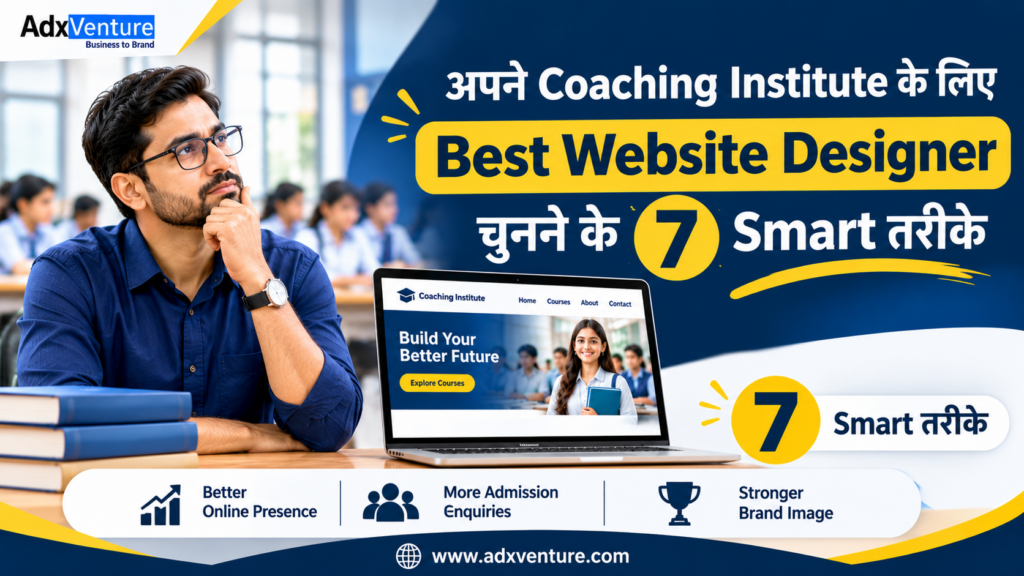
अपने Coaching Institute के लिए Best Website Designer चुनने के 7 Smart तरीके

अपने Coaching Institute के लिए Best Website Designer चुनने के 7 Smart तरीके Best Website Designer for Coaching Institute चुनना आपके institute की online identity के लिए जरूरी है। एक सही designer आपके courses, faculty और admission process को समझकर professional website तैयार करता है। लेकिन अपने Coaching Institute के लिए सही Website Designer कैसे चुनें? आइए जानें 7 Smart तरीके, जिनसे आप design, SEO, features, cost और technical support के आधार पर सही फैसला ले सकते हैं। 1. Coaching Institute Website Design का Experience देखें ऐसे Website designer for coaching institute को चुनें जिसे coaching industry की requirements और website design का experience हो। Designer का portfolio देखकर ये बातें check करें: क्या उसने पहले coaching institutes की websites बनाई हैं? क्या वह UPSC, UKPSC, SSC, Banking, NEET और JEE जैसे courses को समझता है? क्या वह अलग-अलग courses के लिए dedicated pages बना सकता है? Example: Dehradun में UPSC और UKPSC coaching देने वाले institute के लिए दोनों courses के अलग pages होने चाहिए। 2. आपके Institute की Requirements को समझने की क्षमता जाँचें आपके Coaching Institute के लिए सही Website Designer वही है जो website बनाने से पहले आपके courses, target students और admission process को समझे। Designer से इन बातों पर चर्चा करें: आपका institute किन courses और classes की coaching देता है? आपकी target audience students हैं या parents भी? क्या आपको course-wise landing pages और demo class booking चाहिए? क्या future में online registration या student login की जरूरत होगी? इससे आपको ऐसी Coaching Institute Website Design मिलेगी जो आपके institute की actual requirements के अनुसार होगी। 3. Website का Design Mobile-Friendly और Easy to Use होना चाहिए आपके Coaching Institute की Website Design कैसी होनी चाहिए? ऐसी website चुनें जिसे students mobile और desktop दोनों पर आसानी से use कर सकें। इन features को जरूर check करें: Mobile-Friendly Layout: Text, images और buttons हर screen पर सही दिखाई दें। Easy Navigation: Home, Courses, Faculty और Contact pages आसानी से मिलें। Fast Loading: Website के pages जल्दी खुलें। Clear Contact Options: WhatsApp और Call buttons आसानी से दिखाई दें। Designer से mobile preview जरूर माँगें और खुद website को smartphone पर check करें। 4. Website Designer को Basic SEO की समझ होनी चाहिए Best Website Designer for Coaching Institute चुनते समय उसकी basic SEO knowledge जरूर check करें। SEO-friendly website structure Google को आपके pages समझने में मदद करता है। इन SEO elements के बारे में पूछें: हर page के लिए unique SEO title और meta description। सही H1, H2 और H3 headings। Clear URLs और images के लिए alt text। Mobile-friendly design, internal linking और XML sitemap। Example: Haldwani में NEET coaching देने वाले institute की website पर dedicated NEET course page होना चाहिए। ध्यान रखें, SEO-friendly website बनाना Google ranking की guarantee नहीं है। इसके लिए regular SEO और useful content भी जरूरी है। 5. Enquiry और WhatsApp Integration जैसी सुविधाएँ उपलब्ध हों Coaching Institute के लिए Best Website Designer ऐसा होना चाहिए जो आपकी website पर student enquiries के लिए जरूरी contact features जोड़ सके। इन सुविधाओं के बारे में पूछें: Enquiry Form: Student का name, mobile number और preferred course collect करने के लिए। WhatsApp Integration: Students सीधे institute को WhatsApp message कर सकें। Click-to-Call & Google Maps: Call और institute location आसानी से access कर सकें। Landing Pages: New batches, demo classes और admission campaigns के लिए। Designer से form submission की email notification के बारे में भी पूछें। 6. Coaching Website Design Cost और Services की तुलना करें Coaching Website Design की Cost कितनी होनी चाहिए? यह website के pages, features, hosting और technical support पर निर्भर करती है। इसलिए अलग-अलग quotations में शामिल services compare करें। Service Designer से क्या पूछें? Website Design कितने pages और design revisions मिलेंगे? Development कौन-से features शामिल हैं? Domain & Hosting क्या इनका खर्च package में शामिल है? SEO Setup कौन-से basic SEO elements मिलेंगे? Maintenance कितने समय तक support मिलेगा? Final quotation में ये बातें भी clear करें: Total project cost और payment terms। Additional pages और features के charges। Website delivery की expected timeline। केवल कम price देखकर फैसला न करें। अपने budget में मिलने वाली services को compare करें। 7. Technical Support, Website Ownership और Communication जाँचें अपने Coaching Institute के लिए Best Website Designer चुनते समय website launch के बाद मिलने वाले support और ownership terms भी समझें। Final decision से पहले ये बातें confirm करें: क्या आपको website का complete admin access मिलेगा? क्या domain और hosting आपके नाम पर रहेंगे? क्या website backup और future updates की सुविधा मिलेगी? क्या maintenance और technical support के लिए अलग package उपलब्ध है? Project scope, delivery timeline, ownership और support terms को लिखित agreement में जरूर शामिल करें। अपने Coaching Institute के लिए सही Website Development Company कैसे चुनें? कई coaching owners individual freelancer और agency के बीच confused रहते हैं। दोनों options काम कर सकते हैं। फैसला आपकी website की requirements और available support के आधार पर करें। Selection Criteria Freelancer Website Development Company Direct Communication आमतौर पर सीधे designer से Project team या manager से Team Support व्यक्ति पर निर्भर उपलब्ध team के अनुसार Multiple Services अलग experts की जरूरत हो सकती है कई services एक जगह मिल सकती हैं Maintenance पहले से confirm करें Maintenance plan पूछें Pricing Scope के अनुसार Package या custom quotation किसी एक option को हर institute के लिए सही नहीं कहा जा सकता। ऐसे provider को चुनें जो आपकी requirements को समझे, काम का portfolio दिखाए और project के बाद support दे सके। Adxventure से अपने Coaching Institute के लिए Website बनवाएँ अगर आप अपने institute के लिए professional website बनवाने की योजना बना रहे हैं, तो Adxventure आपकी मदद कर सकता है। Adxventure coaching institutes के लिए Coaching Institute Website Design, website development, SEO और maintenance services provide करता है। हमारी team आपकी requirements के अनुसार course pages, mobile-friendly design, enquiry forms और WhatsApp integration जैसे features पर काम करती है। आप अपने institute की requirements के अनुसार package और available features के बारे में जानकारी ले सकते

Importance of Website for Coaching Institute

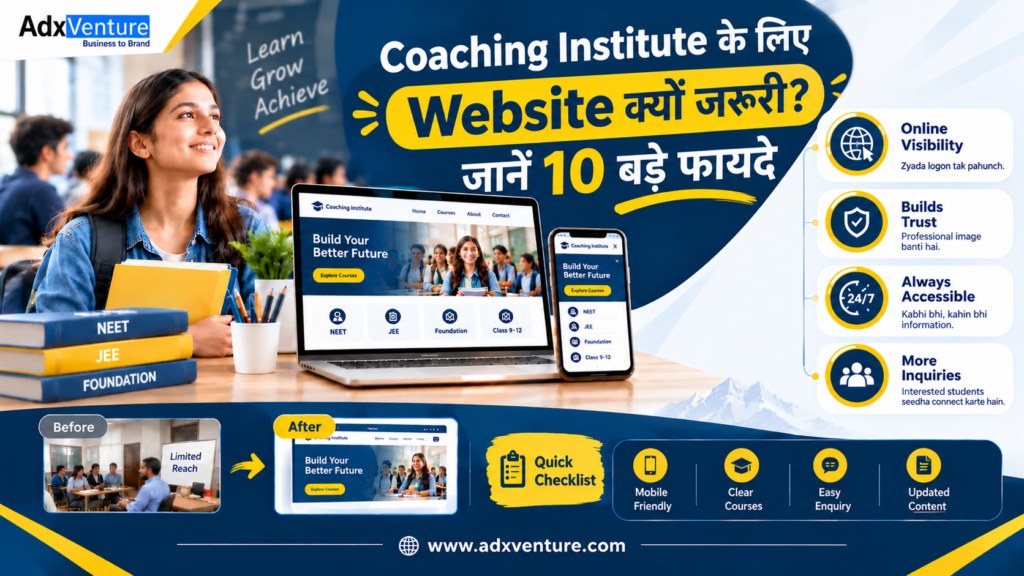
Coaching Institute के लिए Website क्यों जरूरी? जानें 10 बड़े फायदे

Coaching Institute के लिए Website क्यों जरूरी? जानें 10 बड़े फायदे आज students और parents Google पर coaching institutes के courses, faculty और fees की जानकारी search करते हैं। एक professional website आपके institute की details को एक जगह दिखाकर Online Presence for Coaching Institute बनाने में मदद करती है। Importance of Website for Coaching Institute समझिए और जानिए कि एक official website आपके institute को online पहचान देने और student enquiries प्राप्त करने में कैसे मदद कर सकती है। 1. Students आपके Institute को Online आसानी से खोज सकते हैं Students Google पर course और city के साथ coaching search करते हैं। आपकी website उन्हें institute की services और contact details तक पहुँचने का आसान रास्ता देती है। Course और city के अनुसार pages बनाएँ: अपने main courses के लिए अलग pages बनाएँ। जैसे Dehradun में UPSC, Haldwani में NEET और Haridwar में SSC coaching की details। Contact और location details स्पष्ट रखें: Website पर address, phone number, working hours और Google Maps location दें, ताकि students और parents visit plan कर सकें। Google Business Profile से जोड़ें: Google Business Profile में website link add करें। दोनों platforms पर name, address और phone number एक जैसे रखें। 2. आपके Institute की Professional Online Identity बनती है एक अच्छी Coaching Institute की Website आपके institute की कहानी और services को एक official जगह पर दिखाती है। Website आपकी teaching approach, faculty और courses को professional format में present करने का official platform देती है। Institute का परिचय दें: About Us page पर institute की शुरुआत, teaching philosophy, experience और academic support के बारे में सरल भाषा में लिखें। Faculty की profiles दिखाएँ: Teachers की qualifications, subjects और experience share करें, ताकि students अपने course की faculty से परिचित हो सकें। Achievements को सही context में दिखाएँ: Genuine results, testimonials और classroom activities permission के साथ दिखाएँ। हर achievement के साथ exam या batch का context दें। 3. Courses की पूरी जानकारी एक ही जगह मिलती है हर student का goal अलग होता है। Course-wise pages से visitors अपनी जरूरत के अनुसार details पढ़कर suitable batch की enquiry कर सकते हैं। Coaching Institute के लिए Website क्यों जरूरी है? इसका एक जवाब course-wise information है। हर प्रमुख course का अलग page रखें: UPSC, UKPSC, SSC, Banking, NDA, NEET, JEE और tuition के लिए dedicated pages बनाएँ और course-specific details रखें। Course structure और schedule बताएं: Syllabus, duration, batch timings, test series और study support लिखें। Fees share करें तो amount और terms भी बताएं। Admission process समझाएँ: Admission steps, required documents, demo class और registration options बताएं, ताकि students आगे की प्रक्रिया समझ सकें। 4. Students के लिए Enquiry करना आसान बनता है Clear contact options से interested students अपनी सुविधा के अनुसार institute से जुड़ सकते हैं। Enquiry form, WhatsApp और click-to-call इस process को simple बनाते हैं। Simple enquiry form जोड़ें: Name, phone, email और preferred course जैसी जरूरी fields रखें। Form छोटा और easy-to-complete रखें। WhatsApp और call buttons लगाएँ: Header और course pages पर WhatsApp तथा click-to-call buttons दें। Button text में अगला action साफ बताएँ। Enquiries का organised follow-up करें: Form submissions के लिए email notification या CRM setup करें। Enquiry response और follow-up का simple process तय करें। 5. Parents को Institute की जानकारी समझने में मदद मिलती है Parents course चुनते समय faculty, schedule, location, fees और learning support देखते हैं। Website इन details को एक जगह पर दे सकती है। Coaching Institute के लिए Website क्यों जरूरी है? Parents के लिए इसका जवाब clear information में मिलता है। Parents के common questions का जवाब दें: FAQ में course duration, batch timing, admission dates, demo classes और fees से जुड़े common questions के short answers दें। Learning environment की जानकारी दें: Classroom, library या lab की real images और short descriptions share करें, ताकि visitors facilities को समझ सकें। Communication details उपलब्ध रखें: Office timings, phone, email और location map दिखाएँ। Parents call, WhatsApp या visit के जरिए जानकारी ले सकते हैं। 6. Google Search में Visibility बढ़ाने के लिए SEO का आधार मिलता है Importance of Website for Coaching Institute का एक अहम पहलू Google visibility है। SEO-friendly structure और useful content relevant searches में visibility को support करते हैं। Search intent के अनुसार content लिखें: Students के questions पर pages और blogs बनाएँ, जैसे UKPSC preparation, NEET course details या Dehradun में Class 12 Math’s coaching। SEO title, meta description और headings लिखें: हर page का unique SEO title और meta description रखें। H1, H2 और H3 headings से content को sections में बाँटें। Technical SEO पर ध्यान दें: Mobile-friendly layout, readable fonts, clear URLs, alt text, HTTPS और internal links रखें। Search Console से performance review करें। 7. Admissions और Course Updates share करना आसान होता है New batches, admission dates और exam schedules website पर update करके students और parents तक current information पहुँचाएँ। Importance of Website for Coaching Institute को daily communication में भी देखा जा सकता है। New batch announcements publish करें: Course page पर batch date, timings, duration और enquiry option update करें। Students को current details एक जगह मिलेंगी। Important notices के लिए section रखें: Admission announcements, holiday schedules और test dates के लिए Updates section रखें। हर update पर publish date दें। Team के लिए update process तय करें: Admin access relevant team member को दें। Course details, phone numbers और timings review करने का routine रखें। 8. Social Media Marketing को Website से जोड़ सकते हैं Instagram और Facebook का educational content students का interest बढ़ा सकता है। Website उन्हें course details, faculty और enquiry options के लिए एक central destination देती है। Social posts से relevant pages पर भेजें: NEET preparation Reel के caption या profile link में NEET course page share करें, ताकि visitors detailed information पढ़ सकें। Campaign के लिए landing pages बनाएँ: New batch या demo class के लिए landing page बनाएँ। उसमें course highlights, timings, faculty और enquiry form रखें। Content को अलग-अलग formats में share करें: Website blogs को carousel, short video या Facebook post में share

Exclusive Deals to Build Your Dream Website

Never Miss Out on a Discount

Book Your Demo Class!

Please fill the below form to book your Demo Class.