आज के Digital दौर में किसी भी Business के लिए Website होना बहुत ज़रूरी हो गया है। खासकर Coaching Institutes के लिए Website एक ऐसा माध्यम है, जहाँ Students और Parents को Courses, Admission Process, Fees और Institute से जुड़ी सभी महत्वपूर्ण जानकारियाँ मिलती हैं।

लेकिन क्या आपकी Coaching class Website पूरी तरह Secure है? क्या Students आपकी Website पर बिना किसी Security Risk के अपनी Personal Details और Contact Information Submit कर सकते हैं? इन सभी बातों का ध्यान रखना Website Owner की ज़िम्मेदारी है।
इसके लिए SSL Certificate एक महत्वपूर्ण भूमिका निभाता है। इस Blog में हम जानेंगे कि SSL Certificate क्या होता है, Coaching Website के लिए यह क्यों ज़रूरी है और कैसे आप Free में अपनी Website का SSL Check कर सकते हैं।
1. SSL Certificate क्या होता है?
SSL का Full Form Secure Sockets Layer है। यह एक Security Technology है, जो Website और Visitor के Browser के बीच Transfer होने वाले Data को Encrypt करके सुरक्षित रखने में मदद करती है।
उदाहरण के लिए, जब कोई Student आपकी Coaching class Website पर Admission Form भरता है और अपना Name, Mobile Number या Email Address Submit करता है, तो SSL/TLS Encryption उस Information को Secure तरीके से Transfer करने में मदद करता है।
आजकल Modern Websites में SSL के Updated Version TLS (Transport Layer Security) का इस्तेमाल किया जाता है। हालांकि, सामान्य रूप से इसे आज भी SSL Certificate ही कहा जाता है।
2. Coaching Class Website के लिए SSL Certificate क्यों ज़रूरी है?
अगर आपकी Coaching class website है, तो उस पर Students और Parents अपनी Personal Information Share कर सकते हैं। ऐसे में Website पर Secure Connection होना बहुत ज़रूरी है।
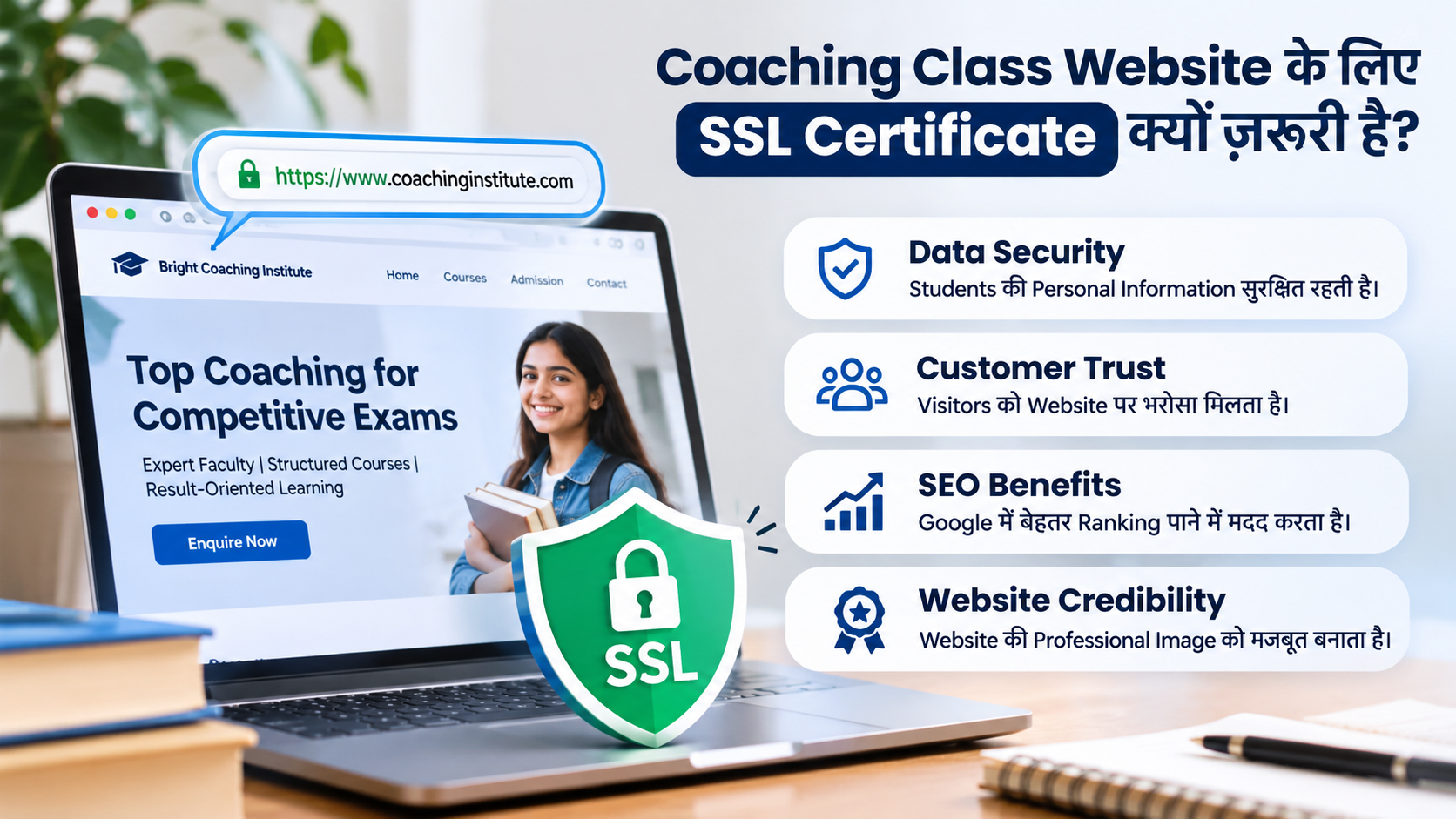
SSL Certificate आपकी Website और Visitors के बीच Encrypted Connection स्थापित करने में मदद करता है। इसके कुछ महत्वपूर्ण फायदे हैं:
- Data Security: Visitors की Personal Information को Secure तरीके से Transfer करने में मदद करता है।
- Customer Trust: HTTPS Connection से Visitors को Website की Security का संकेत मिलता है।
- SEO Benefits: Google HTTPS को एक Lightweight Ranking Signal के रूप में इस्तेमाल करता है।
- Website Credibility: Secure Connection आपकी Website की Professional Image को बेहतर बनाने में मदद करता है।
इसलिए, यदि आप अपनी Coaching Website को Professional बनाना चाहते हैं, तो Website Design के साथ Security पर भी ध्यान देना ज़रूरी है।
3. अपनी Website पर SSL Certificate कैसे Check करें?
अपनी Website का SSL Status Check करना काफी आसान है। इसके लिए आपको किसी Technical Expert की आवश्यकता नहीं है। आप अपने Browser की मदद से इसकी शुरुआती जाँच कर सकते हैं।
सबसे पहले अपनी Website को Google Chrome में Open करें। अब Address Bar में Website URL को देखें। यदि URL HTTPS से शुरू होता है, तो इसका मतलब है कि Browser Website के साथ Encrypted Connection स्थापित कर रहा है।
हालांकि, केवल HTTPS दिखाई देने से Website की पूरी Security सुनिश्चित नहीं होती। इसके लिए Certificate की Validity, Expiry Date और Server Configuration को भी Check करना चाहिए।
और आज हम आपको एक ऐसे Free Online Tool का Link भी देंगे, जिसकी मदद से आप अपनी Website का SSL Certificate आसानी से Check कर सकते हैं।
4. SSL Certificate Free में Check करने के Steps
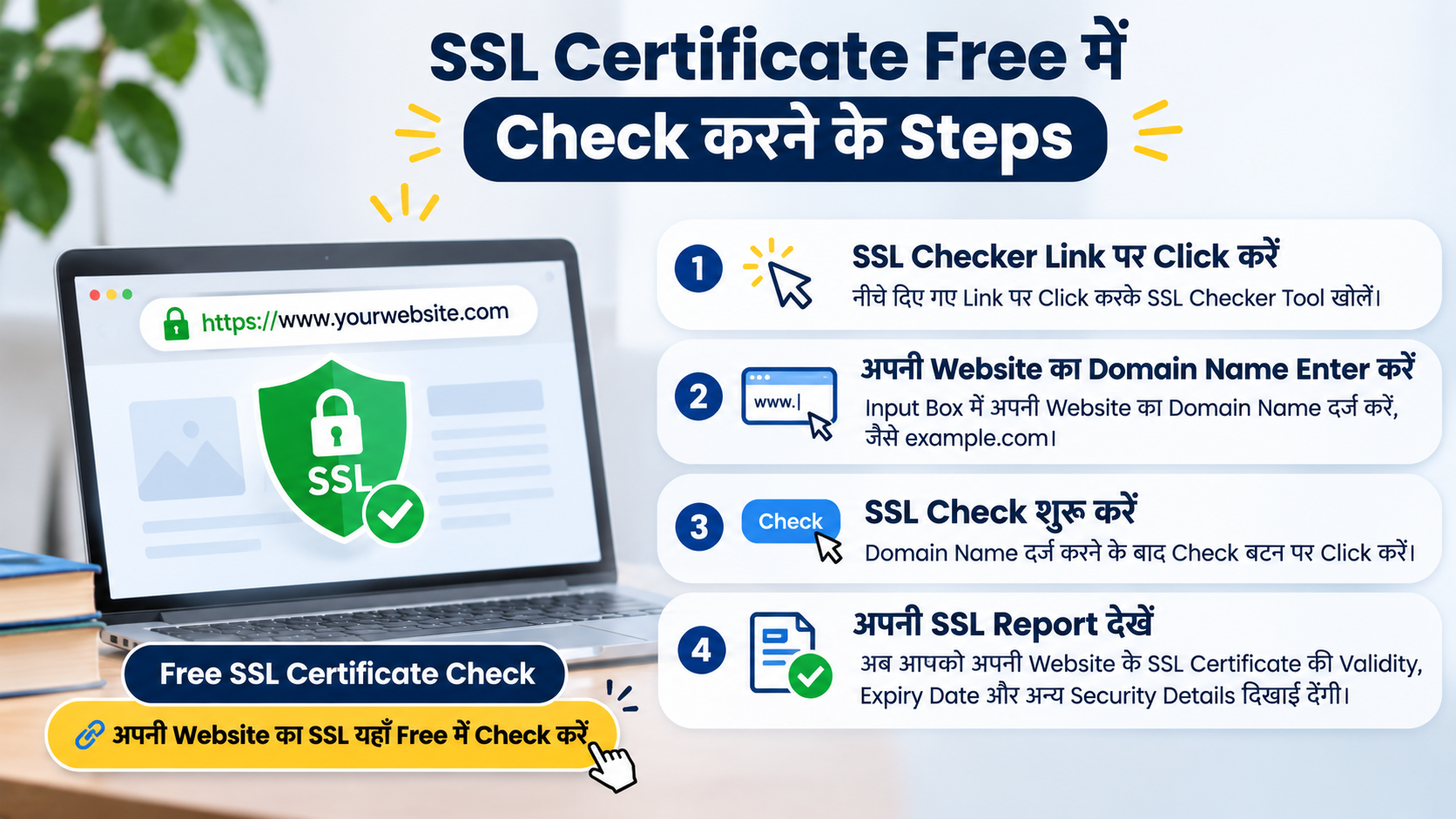
Step 1: SSL Checker Link पर Click करें
सबसे पहले नीचे दिए गए link पर click करें। इससे आप सीधे SSL Checker Tool पर पहुँच सकते हैं, जहाँ अपनी Website के SSL Certificate की जाँच कर सकते हैं।
Free SSL Certificate Check
अपनी Website का SSL यहाँ Free में Check करें- ssl.org/
Step 2: अपनी Website का Domain Name Enter करें
SSL Checker में दिए गए Input Box में अपनी Website का Domain Name दर्ज करें। उदाहरण के लिए, यदि आपकी Website example.com है, तो इसे Input Box में लिखें।
Step 3: SSL Check शुरू करें
Domain Name दर्ज करने के बाद Check बटन पर Click करें। इसके बाद Tool आपकी Website के SSL Certificate और Security Configuration की जाँच करेगा।
Step 4: अपनी SSL Report देखें
जाँच पूरी होने के बाद आपको SSL Report दिखाई देगी। इसमें Certificate की Validity, Expiry Date और अन्य Security Details को देखें। यदि कोई Error या Warning दिखाई देती है, तो उसे ठीक करवाने के लिए अपने Website Developer से संपर्क करें।
5. SSL Checker Report में कौन-सी Details Check करनी चाहिए?
SSL Checker से Report मिलने के बाद केवल Certificate Active है या नहीं, इतना देखना पर्याप्त नहीं है। आपको Report में मौजूद कुछ महत्वपूर्ण Details को भी समझना चाहिए।
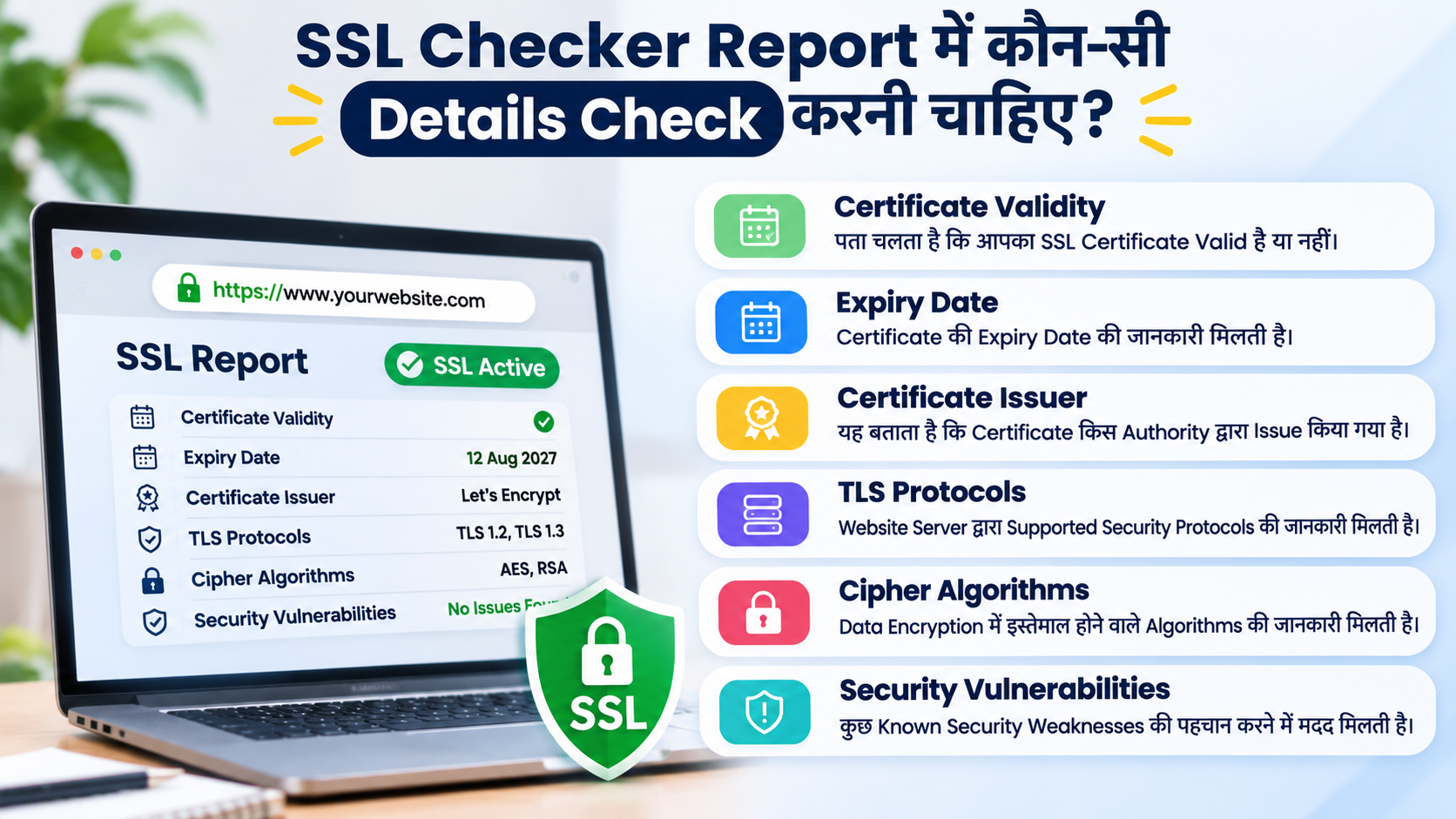
इन मुख्य Details पर ध्यान दें:
- Certificate Validity: इससे पता चलता है कि आपका SSL Certificate Valid है या नहीं।
- Expiry Date: Certificate की Expiry Date की जानकारी मिलती है।
- Certificate Issuer: इससे पता चलता है कि Certificate किस Authority द्वारा Issue किया गया है।
- TLS Protocols: Website Server द्वारा Supported Security Protocols की जानकारी मिलती है।
- Cipher Algorithms: Data Encryption में इस्तेमाल होने वाले Algorithms की जानकारी मिलती है।
- Security Vulnerabilities: कुछ Known Security Weaknesses की पहचान करने में मदद मिलती है।
इन सभी Details को Check करके आप अपनी Website की Security Configuration को बेहतर बनाने के लिए सही कदम उठा सकते हैं।
6. SSL Certificate Expire होने पर क्या होता है?
हर SSL Certificate की एक निश्चित Validity Period होती है। जब इसकी Validity समाप्त हो जाती है और समय पर Renewal नहीं किया जाता, तो Visitors को Browser में Security Warning दिखाई दे सकती है।
उदाहरण के लिए, कोई Student आपकी Coaching class website पर Admission Information Check करने आता है। लेकिन Website Open करते समय उसे Security Warning दिखाई देती है, तो वह अपनी Personal Information Submit करने से बच सकता है।
इस समस्या से बचने के लिए Certificate की Expiry Date Regularly Check करें। इसके अलावा, Expiry से पहले SSL Renewal करवाएँ और यदि आपका Hosting Provider Automatic Renewal की सुविधा देता है, तो उसकी Working भी Verify करें।
7. Coaching Class Website Design में SSL का क्या महत्व है?
एक Professional Coaching Institute Website Design में केवल Attractive Homepage और Course Details होना पर्याप्त नहीं है। Website की Speed, Mobile Responsiveness, User Experience और Security पर भी ध्यान देना ज़रूरी है।
यदि आप अपने Institute के लिए Coaching class website बनवा रहे हैं, तो उसमें SSL Certificate, Secure Contact Forms और HTTPS Connection को शामिल करवाएँ। इससे Students और Parents को बेहतर Online Experience मिल सकता है।
इसके अलावा, यदि आप Website Design Cost या Website Design Cost in India की जानकारी प्राप्त कर रहे हैं, तो Website Development Company से SSL Installation, Renewal और Security Features के बारे में भी पूछें। केवल कम कीमत देखकर Website Developer का चुनाव न करें।
8. अपनी Website का SSL Certificate कितनी बार Check करना चाहिए?
SSL Certificate Install करवाने के बाद उसकी Security को Ignore नहीं करना चाहिए। समय के साथ Certificate की Validity समाप्त हो सकती है या Server Configuration में बदलाव हो सकते हैं।
इसलिए Website Owners को Regularly SSL Status Check करना चाहिए। विशेष रूप से Hosting Change, Server Migration और Certificate Renewal के बाद SSL Test करना उपयोगी रहता है।
आप अपनी Website की Security बनाए रखने के लिए कुछ बातों का ध्यान रख सकते हैं:
- महीने में कम से कम एक बार SSL Status Check करें।
- Certificate की Expiry Date पर नज़र रखें।
- Expiry से पहले SSL Renewal करवाएँ।
- Hosting या Server Change होने पर दोबारा SSL Test करें।
- किसी भी Security Warning को Ignore न करें।
Conclusion
आज के समय में Website Security हर Online Business और Educational Institute के लिए एक महत्वपूर्ण आवश्यकता बन चुकी है। SSL Certificate Website और Visitors के बीच Secure Connection स्थापित करने में मदद करता है और Users का Trust बनाए रखने में महत्वपूर्ण भूमिका निभाता है।
आप SSL.org के Online SSL Checker की मदद से अपनी Coaching class website का SSL Certificate Free में Check कर सकते हैं। इससे आपको Certificate की Validity, Expiry Date, TLS Protocols और Security Configuration से जुड़ी महत्वपूर्ण जानकारी मिल सकती है।
अपनी Coaching Website को Professional और Secure बनाना चाहते हैं?
अगर आप अपने Coaching Institute के लिए एक Professional Website बनवाना चाहते हैं या अपनी Existing Website को बेहतर बनाना चाहते हैं, तो ADX Venture की Website Development Services के बारे में जान सकते हैं।
ADX Venture के साथ अपनी Digital Presence को बेहतर बनाएँ और अपने Institute को Online पहचान दिलाने की दिशा में आगे बढ़ें।
आज ही ADX Venture से संपर्क करें और अपने Business की Digital Journey शुरू करें!