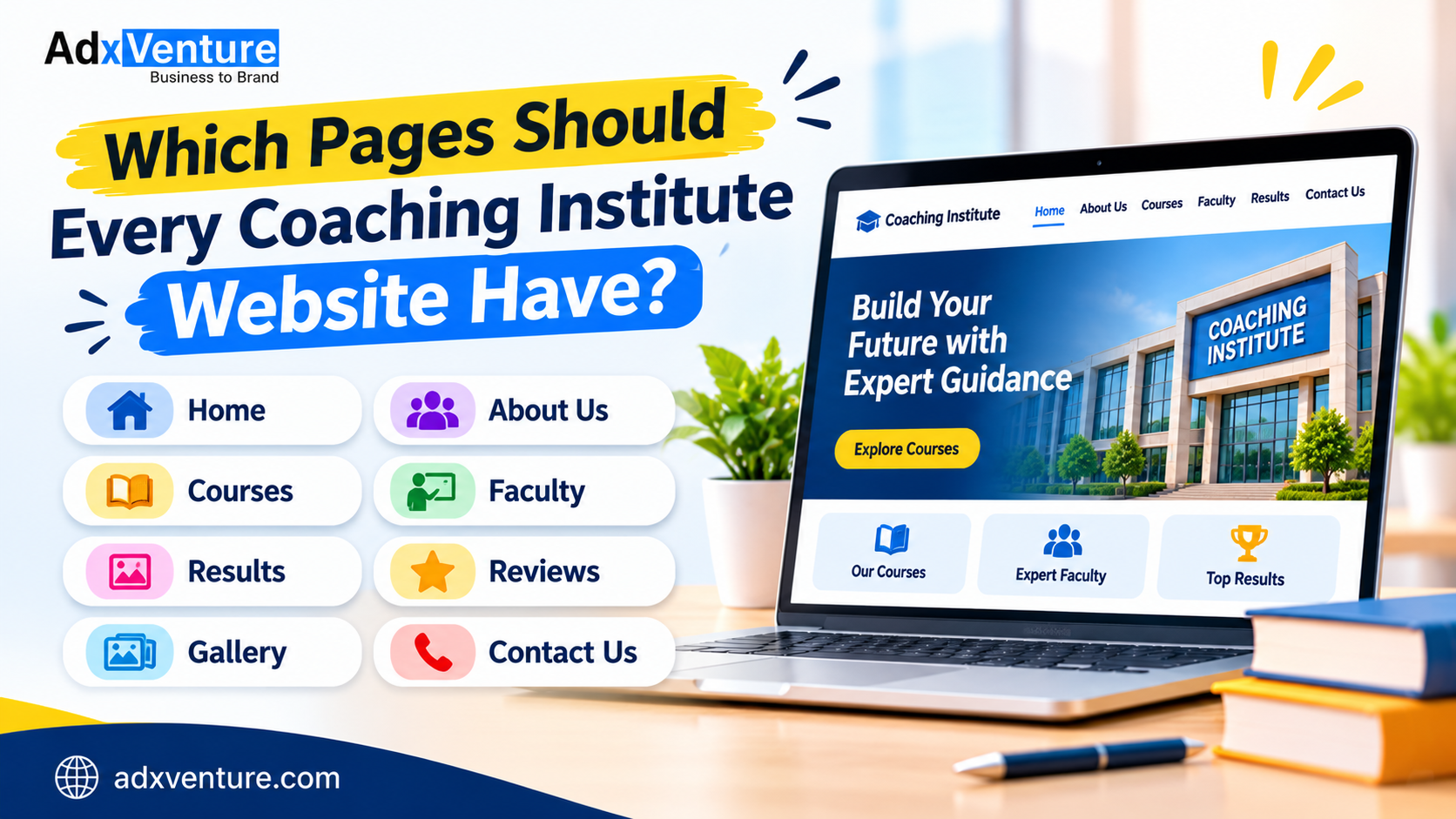
Which Pages Should Every Coaching Institute Website Have?
एक अच्छी coaching institute website में जरूरी pages होने चाहिए, ताकि students और parents को courses, faculty, results और admission से जुड़ी सभी important जानकारी आसानी से मिल सके।
अगर किसी coaching institute की website पर ये important information properly available नहीं है, तो visitors को अपने सवालों के जवाब नहीं मिलते। कई बार वे दूसरे institute की website पर चले जाते हैं, जहाँ उन्हें सारी details आसानी से मिल जाती हैं।
इसलिए एक अच्छी coaching institute website सिर्फ institute का नाम और contact number दिखाने के लिए नहीं होती। इसमें ऐसे अलग-अलग pages होने चाहिए जो students और parents को सही information दें और admission से जुड़ा decision लेने में मदद करें।
आइए जानते हैं कि एक coaching institute की website में कौन-से important pages होने चाहिए और हर page पर क्या information देनी चाहिए।

1. Home Page – Make a Strong First Impression
Home Page किसी भी website का सबसे important entry point होता है। जब कोई student या parent website खोलता है, तो सबसे पहले इसी page को देखता है।
इस page पर institute की basic identity और सबसे जरूरी information clear होनी चाहिए।
Home Page पर क्या include करें?
- Institute Name and Logo: Institute का नाम और brand identity साफ दिखाई देनी चाहिए।
- Short Introduction: Institute किस तरह की coaching देता है और किसके लिए useful है।
- Courses Overview: Popular courses की छोटी-सी जानकारी।
- Key Highlights: Experienced faculty, batches, teaching approach और facilities जैसी verified details।
- Student Results: Genuine achievements या success stories।
- Call-to-Action (CTA): Admission Enquiry, Call Now या Book a Demo Class जैसे options।
Practical Tip: Home Page पर visitor को कुछ ही seconds में समझ आ जाना चाहिए कि institute क्या offer करता है और वह आगे information कैसे प्राप्त कर सकता है।
2. About Us Page – Introduce Your Institute
About Us page students और parents को institute के बारे में जानने का मौका देता है। यहाँ सिर्फ यह नहीं बताना चाहिए कि institute कब शुरू हुआ था, बल्कि इसकी teaching approach और background भी explain करना चाहिए।
इस page में क्या होना चाहिए?
- Institute की स्थापना और background।
- Founder या management का introduction।
- Institute का mission और vision।
- Teaching methodology यानी पढ़ाने का तरीका।
- Learning environment और उपलब्ध facilities।
- Institute की journey और major achievements।
उदाहरण के लिए, अगर कोई institute पिछले कई वर्षों से competitive exam preparation करवा रहा है, तो वह अपने experience, teaching approach और उपलब्धियों की सही जानकारी यहाँ share कर सकता है।
ध्यान रखें: ऐसे claims न करें जिन्हें prove करना मुश्किल हो। Genuine information website पर ज्यादा भरोसा बनाने में मदद करती है।
3. Courses Offered Page – Explain Every Course Clearly
जब कोई student coaching search करता है, तो उसका सबसे बड़ा सवाल होता है कि institute कौन-सा course offer करता है और वह उसके लिए सही है या नहीं।
इसलिए Courses Offered page पर हर course की अलग और clear information होनी चाहिए।
हर course के लिए ये details include करें:
- Course Name
- Target Students या Eligibility
- Subjects Covered
- Course Duration
- Class Schedule या Batch Timings
- Teaching Method
- Available Study Material
- Test Series या Practice Sessions
- Admission Information
उदाहरण के लिए, अगर institute Class 11th और 12th की Commerce coaching देता है, तो Accountancy, Business Studies और Economics जैसे subjects की details अलग-अलग explain की जा सकती हैं।
एक useful suggestion: अगर institute कई courses offer करता है, तो हर major course के लिए अलग detailed page बनाना बेहतर हो सकता है। इससे students को relevant information मिलती है और search engines भी अलग-अलग topics को समझ सकते हैं।
4. Faculty Page – Show Who Will Teach Students
किसी coaching institute को choose करते समय parents और students teachers की qualifications और experience जानना चाहते हैं।
Faculty page पर teachers की वास्तविक professional details दी जानी चाहिए।
Faculty Page में क्या include करें?
- Teacher का Name और Photograph।
- Educational Qualification।
- Teaching Experience।
- Specialization या Subject Expertise।
- Teaching Approach।
- Relevant Achievements, अगर उपलब्ध हों।
उदाहरण के लिए, Mathematics teacher के profile में उनकी qualification, पढ़ाने का experience और किन classes या exams की तैयारी करवाते हैं, यह बताया जा सकता है।
Important: Faculty के बारे में गलत qualifications, fake experience या बिना permission के personal information publish न करें।
5. Results and Achievements Page – Share Genuine Performance
Results page students और parents को institute की academic performance समझने में मदद करता है।
इस page पर सिर्फ बड़े-बड़े claims लिखने के बजाय genuine और verifiable achievements दिखानी चाहिए।
इसमें क्या दिखा सकते हैं?
- Previous year results।
- Selected students की achievements।
- Exam-wise performance।
- Genuine student success stories।
- Rank holders की photographs, permission के साथ।
- उपलब्ध हो तो result verification या official references।
उदाहरण के लिए, अगर किसी student ने institute की guidance में competitive exam qualify किया है, तो उसकी achievement के साथ exam name और year mention किया जा सकता है।
एक जरूरी बात: Results दिखाते समय यह clear रखें कि वे किस year के हैं और किस exam से संबंधित हैं। पुराने results को current बताना या misleading success claims करना trust को नुकसान पहुँचा सकता है।
6. Fees and Admission Page – Make the Process Clear
Admission लेने से पहले students और parents fees, eligibility और admission process की जानकारी चाहते हैं।
अगर ये details website पर available नहीं हैं, तो उन्हें बार-बार call या message करना पड़ सकता है।
Fees and Admission page पर क्या include करें?
- Admission Eligibility।
- Registration Process।
- Required Documents।
- Course Fees या Available Fee Structure।
- Installment Options, अगर उपलब्ध हों।
- Scholarship Details, अगर institute provide करता हो।
- Admission Dates या Important Deadlines।
- Admission Enquiry Form।
अगर institute सभी fees publicly show नहीं करना चाहता, तो वह Request Fee Details का option दे सकता है। लेकिन enquiry form छोटा और easy होना चाहिए।
उदाहरण के लिए, student से Name, Phone Number, Interested Course और Preferred Batch जैसी जरूरी details ही पूछें।
7. Testimonials and Reviews Page – Build Trust Through Real Experiences
Students और parents admission से पहले दूसरे students के experiences भी जानना चाहते हैं।
Testimonials page पर genuine feedback share किया जा सकता है, जिससे visitors को institute के learning environment और teaching experience के बारे में बेहतर understanding मिलती है।
इस page पर क्या include करें?
- Genuine Student Reviews।
- Parent Feedback।
- Video Testimonials।
- Student Experience।
- Course-specific Feedback।
Practical Tip: Reviews के साथ student की permission लें। किसी भी feedback को edit करके उसका meaning न बदलें और fake reviews publish न करें।
8. Gallery Page – Show Your Learning Environment
Gallery page visitors को institute के actual environment की झलक दिखाता है।
कई बार photographs देखकर parents को classrooms, facilities और activities के बारे में ज्यादा आसानी से समझ आता है।
Gallery में क्या दिखा सकते हैं?
- Classroom Photographs।
- Library और Study Area।
- Computer Lab या Practical Lab।
- Seminar और Workshops।
- Educational Events।
- Student Activities।
- Award Ceremonies।
Images clear और genuine होनी चाहिए। Students की photographs publish करने से पहले आवश्यक permission लेना जरूरी है।
Tip: बहुत बड़ी image files upload न करें। Images को optimize करें ताकि website mobile पर भी जल्दी load हो सके।
9. Blog or Resources Page – Share Helpful Educational Content
Blog page सिर्फ website को active दिखाने के लिए नहीं होना चाहिए। इसका main purpose students और parents को useful educational information देना होना चाहिए।
Institute यहाँ ऐसे topics पर articles publish कर सकता है जो उसके students के लिए genuinely helpful हों।
Blog में कौन-से topics cover कर सकते हैं?
- Exam Preparation Tips।
- Subject-wise Study Guides।
- Time Management Tips।
- Important Exam Updates।
- Career Guidance।
- Common Study Mistakes।
- Revision Strategies।
- Frequently Asked Academic Questions।
उदाहरण के लिए, अगर institute competitive exams की coaching देता है, तो वह preparation strategy, syllabus explanation और practice tips पर detailed articles publish कर सकता है।
इससे visitors को useful information मिलती है और website पर relevant content भी बढ़ता है।
ध्यान रखें: सिर्फ keywords repeat करने के लिए articles publish न करें। Content accurate, updated और students की जरूरतों के अनुसार होना चाहिए।
10. Contact Us Page – Make It Easy to Reach Your Institute
Contact Us page पर ऐसी सभी details होनी चाहिए जिनकी मदद से students और parents institute से आसानी से संपर्क कर सकें।
अगर contact information ढूँढना मुश्किल है, तो interested visitors enquiry किए बिना website छोड़ सकते हैं।
Contact Page में क्या include करें?
- Complete Institute Address।
- Contact Number।
- Official Email Address।
- Google Maps Location।
- WhatsApp Enquiry Option।
- Working Hours।
- Simple Contact Form।
- Social Media Links।
अगर institute की multiple branches हैं, तो हर branch का address और contact number अलग-अलग clearly mention करें।
Best Practice: Mobile users के लिए clickable phone number और WhatsApp button रखें, ताकि वे सीधे contact कर सकें।
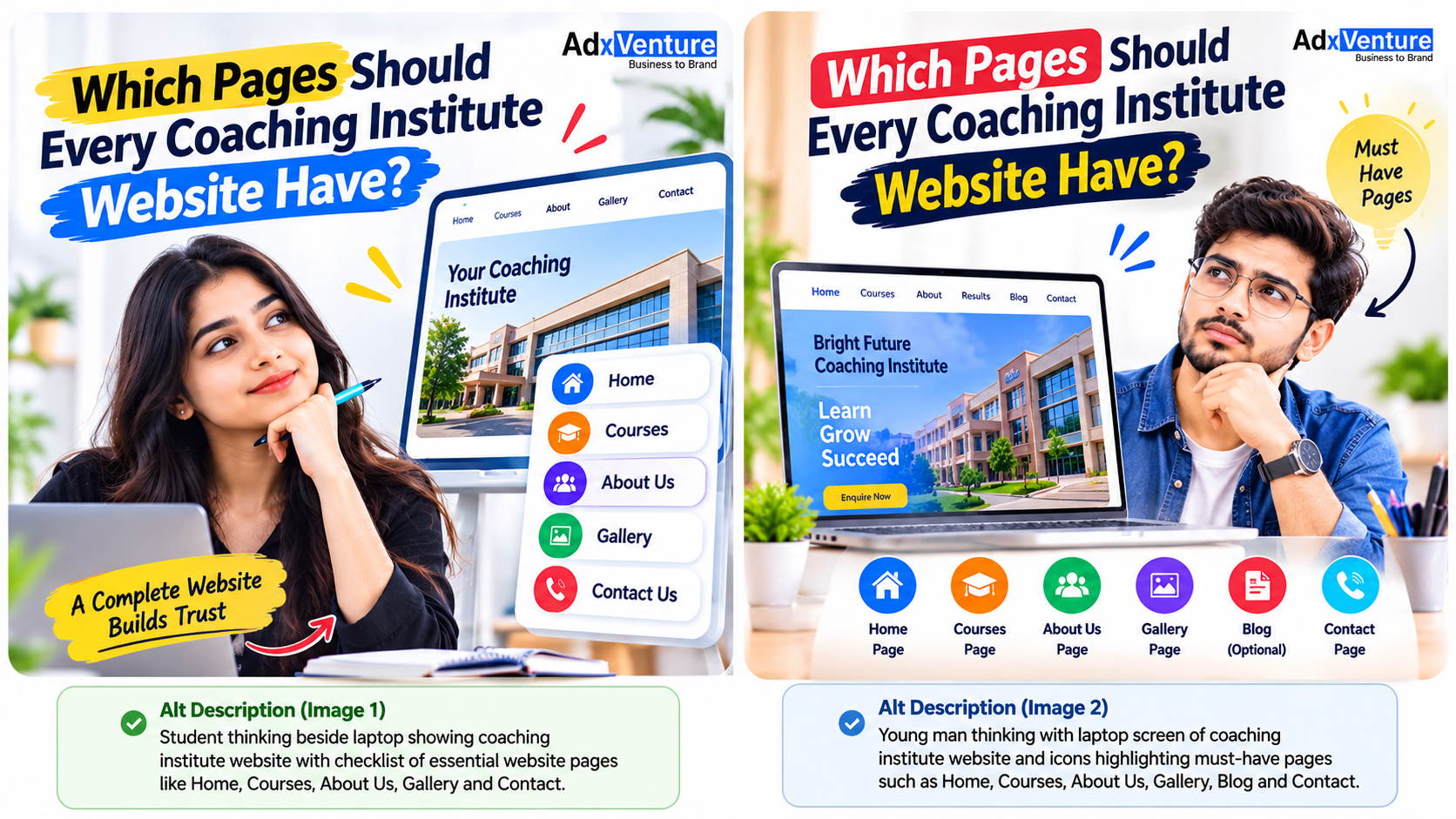
Coaching Institute Website के लिए जरूरी Pages
ऊपर बताए गए pages के अलावा कुछ additional pages भी institute की requirements के अनुसार useful हो सकते हैं।
| Page Name | इसका Purpose |
|---|---|
| FAQ Page | Common questions के answers देना |
| Privacy Policy | Visitor data और privacy practices की जानकारी |
| Terms and Conditions | Website और services के usage rules |
| Branches Page | अलग-अलग locations की details |
| Demo Class Page | Demo class के लिए registration |
| Online Classes Page | Online learning की information |
हर institute को ये सभी pages बनाना जरूरी नहीं है। जो pages students और parents की जरूरतों को पूरा करते हैं, उन्हें priority देनी चाहिए।
How to Organize These Pages in Your Website Menu?
सिर्फ pages बनाना काफी नहीं है। Visitors को ये pages आसानी से मिल भी जाने चाहिए।
Website का navigation simple और organized रखें।
एक example menu structure इस तरह हो सकता है:
Main Menu:
Home | About Us | Courses | Faculty | Results | Blog | Contact Us
Footer Menu:
Admission | Testimonials | Gallery | FAQs | Privacy Policy | Terms and Conditions
इससे visitors को जरूरी information ढूँढने में आसानी होती है। Google भी logical website organization और descriptive links को समझने में मदद पा सकता है।
Website Launch करने से पहले ये Checklist जरूर Check करें
Website publish करने से पहले इस checklist की मदद से जरूरी चीजें verify करें:
- सभी important pages properly working हैं।
- Course details updated हैं।
- Faculty information accurate है।
- Contact number और address सही हैं।
- Admission enquiry form काम कर रहा है।
- Website mobile-friendly है।
- Images optimized हैं।
- Important pages आपस में internally linked हैं।
- Privacy Policy और जरूरी legal information available है।
- कोई broken link या missing page नहीं है।
एक छोटी-सी सलाह: Website launch करने के बाद भी समय-समय पर courses, fees, faculty, results और contact details update करते रहें।

Common Mistakes to Avoid While Creating a Coaching Website
कई institutes website बनाते समय कुछ ऐसी गलतियाँ करते हैं जिनसे visitors को information समझने में परेशानी होती है।
- Incomplete Information: Course, fees या admission details अधूरी रखना।
- Too Many Pop-ups: बार-बार enquiry pop-ups दिखाना।
- Unclear Navigation: जरूरी pages को ढूँढना मुश्किल बनाना।
- Fake Results and Reviews: बिना proof के achievements या testimonials दिखाना।
- Slow Loading Speed: Heavy images और unnecessary elements का इस्तेमाल करना।
- Missing Contact Details: Phone number, address या enquiry option clearly न दिखाना।
- Poor Mobile Experience: Website को केवल desktop के लिए design करना।
इन गलतियों से बचकर institute visitors के लिए एक बेहतर online experience बना सकता है।
Frequently Asked Questions (FAQs)
1. Which pages are most important for a coaching institute website?
Home, About Us, Courses, Faculty, Results, Admission, Testimonials और Contact Us जैसे pages अधिकांश coaching institutes के लिए useful starting point हैं।
2. Is a separate page required for every course?
अगर institute कई courses offer करता है, तो major courses के लिए अलग pages बनाना useful हो सकता है। इससे students को course-specific details समझने में आसानी होती है।
3. Should coaching institutes display their fees online?
यह institute की policy पर depend करता है। Institute पूरी fee structure दिखा सकता है या visitors को fee details के लिए enquiry करने का option दे सकता है।
4. Is a blog necessary for a coaching website?
Blog हर institute के लिए compulsory नहीं है। लेकिन अगर institute regularly useful educational content publish कर सकता है, तो blog students को information देने और relevant search queries तक पहुँचने में मदद कर सकता है।
5. Should a coaching institute website be mobile-friendly?
हाँ। कई students और parents mobile phones से websites browse करते हैं। इसलिए website का text, menu, images और enquiry forms mobile screens पर properly work करने चाहिए।
6. How many pages should a coaching institute website have?
इसका कोई fixed number नहीं है। Website में उतने ही pages होने चाहिए जितने institute की services, courses और visitors की information needs को properly explain करने के लिए जरूरी हों।
Final Thoughts
एक अच्छी website का purpose सिर्फ online presence बनाना नहीं, बल्कि students और parents को सही information देना भी है। जब courses, faculty, results, admission और contact details अलग-अलग organized pages पर उपलब्ध होते हैं, तो visitors के लिए institute को समझना और उससे संपर्क करना आसान हो जाता है।
इसलिए website बनाते समय सिर्फ design पर ध्यान न दें। Information, navigation, mobile experience और genuine details को भी बराबर importance दें।
अगर आप भी अपने Coaching Institute के लिए कम Budget में एक Professional Website बनवाना चाहते हैं, तो देर न करें। Adxventure के साथ सिर्फ ₹7,999 से अपनी Website बनवाएं और अपना खुद का Domain अपने नाम पर Register करवाएं। आज ही Contact करें और अपने Institute को Online पहचान दिलाएं!
तो देर किस बात की? आज ही हमें Message करें और अपने Coaching Institute की Website बनवाएं!